
Knowledge base chatbot: how to build one from your own documents | Ribbo AI

A knowledge base chatbot is only as good as the documents behind it and the test you run before launch. A step-by-step build, from the questions customers ask to what you should leave out.
A knowledge base chatbot answers customers from documents you choose: your website, policies, price lists and help articles. Loading those files takes an afternoon. Getting it to answer correctly, and to stop when the documents run out, takes a list of real questions, a content clean-up and a proper test.
Here is the build in the order that works, including the part most guides skip: what to keep out of the knowledge base.
What a knowledge base chatbot does well, and what it does not
Under the hood, most of these chatbots use retrieval: when a question arrives, the system searches your documents for the passages that look most relevant and gives them to the language model to answer from. The technique is called retrieval-augmented generation, or RAG.
Retrieval is good at "how does your returns process work" or "do you deliver on Saturdays", where the answer sits in a paragraph somewhere. It is unreliable for "what is my balance" or "where is order 4471", because searching documents finds similar text, not one customer's exact row. Those questions need a live lookup in your system, which Ribbo handles with Data Tools. Decide early which kind of question you are building for.
Step 1: Start from questions, not documents
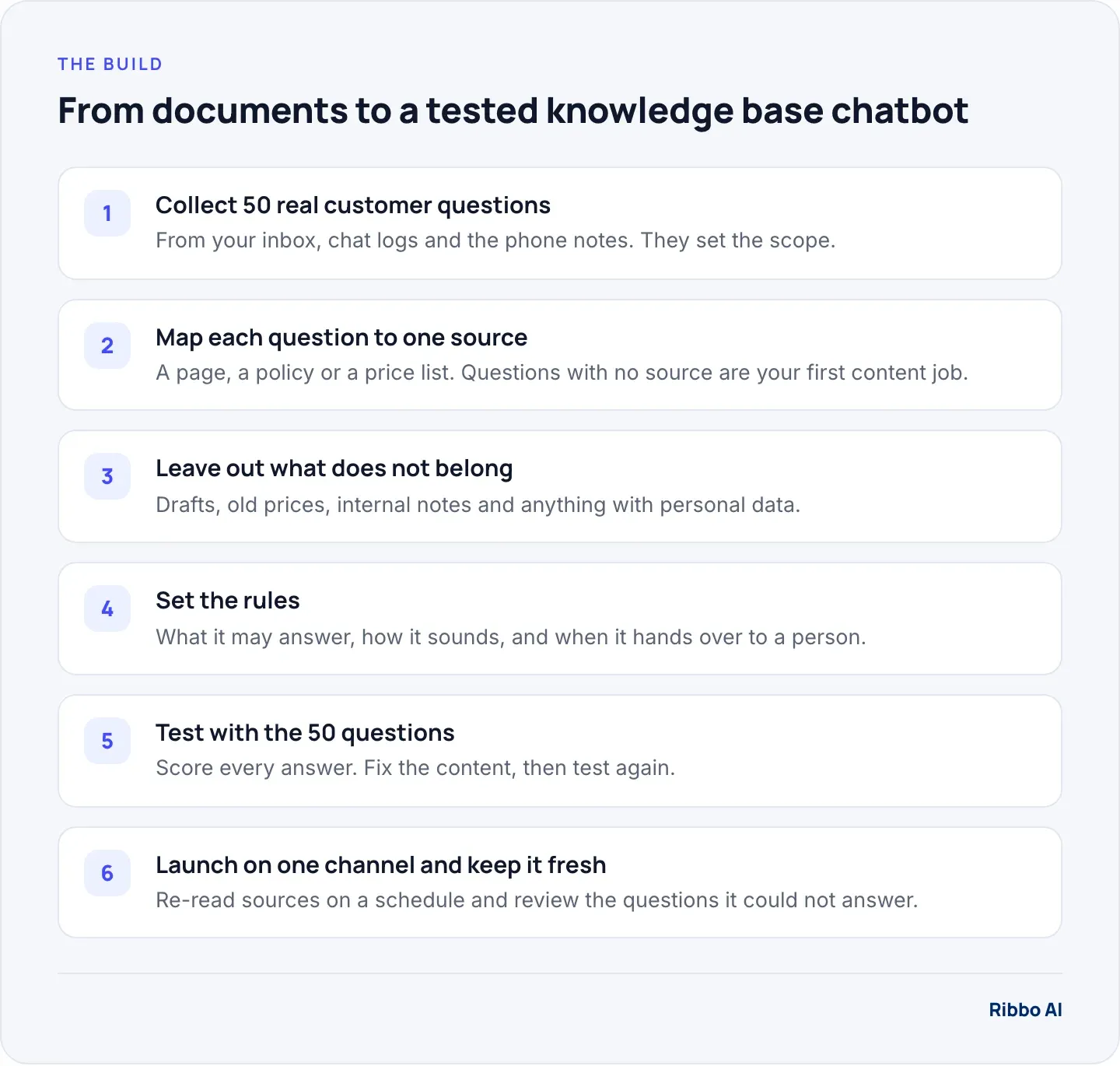
The common mistake is to upload everything and see what happens. Start the other way round. Pull 50 real questions from the last month of email, chat, WhatsApp and phone notes, in the customers' own words. Include the awkward ones: the complaint, the edge case, the question you always have to ask a manager about.
Those 50 questions do three jobs. They define the scope, they show you which documents matter, and they become the test you run before launch.
Step 2: Map each question to one source
Next to each question, write where the correct answer lives. Some patterns you will see:
| Question type | Best source | Watch for |
|---|---|---|
| How does X work | Help article or policy | Two versions of the policy |
| How much is X | Current price list | Old PDFs still online |
| Do you offer X | Product or service page | Marketing copy with no detail |
| Where is my X | Your order or account system | Needs a lookup, not a document |
Questions with no source at all are your first writing job. If the answer only exists in a colleague's head, the chatbot cannot give it. Write a short page for each, in plain language, with the question as its heading.
Step 3: What to leave out
A custom AI chatbot repeats whatever you give it, to anyone who asks. Treat the knowledge base as a public document, because in practice it is one.
- Old prices and superseded policies. If last year's price list is in there, sooner or later it will be quoted. Delete it when you add the new one.
- Drafts and internal notes. Staff-only discount rules, escalation contacts and margin notes have no place in a customer-facing source.
- Personal data. Raw chat transcripts and ticket exports contain names, phone numbers and account details. OWASP lists sensitive information disclosure among the main risks in language model applications and recommends scrubbing or masking sensitive content before a model can use it. Rewrite good answers from transcripts as clean Q&A instead.
- Your whole blog archive. Opinion pieces and dated announcements answer questions nobody asked and confuse the ones they did. Pick the pages that answer real questions.
- Contracts and terms you would not paraphrase. Link to them. Let the chatbot summarise only what a customer service agent would be allowed to summarise.
Our guide to ChatGPT for small business covers the same privacy point from the staff side: what happens when people paste customer details into a general assistant.
Step 4: Set the rules
Documents give the chatbot something to say. Rules decide what it does with them. Write these down before you configure anything:
- Scope. What it answers, and what it politely declines: legal advice, competitors, anything outside your business.
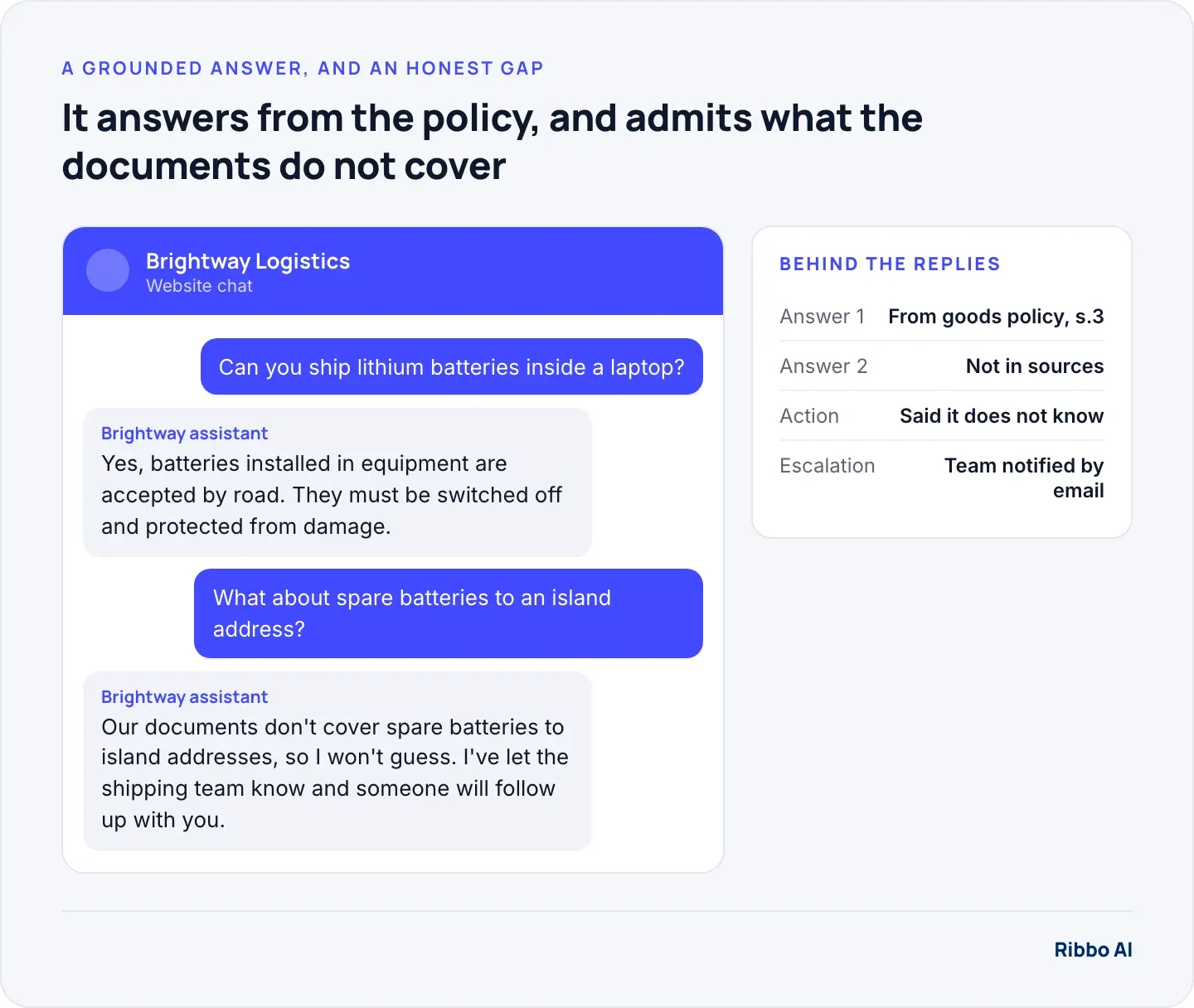
- The "I don't know" rule. If the sources do not cover a question, it says so and offers a person. This one rule prevents most invented answers.
- Handoff. When a person takes over: on request, on complaints, on refunds, or on any deal above a value you set.
- Tone. Two or three sentences on how you sound, with one example reply you like.
Step 5: Test with the 50 questions
Run every question and score each answer in a spreadsheet with four outcomes: correct, incomplete, wrong, or should have handed over. Then fix the cause. Most wrong answers come from the content, not the model: a missing page, a contradiction between two files, or a policy written so vaguely that a human would also struggle.
Re-run the full set after each round of fixes, because a change that fixes one answer can break another. A sensible bar for launch is no wrong answers on the 50, with "I don't know" acceptable on a handful.
Step 6: Launch on one channel and keep it current
Put it on the channel with the most repeat questions first, usually web chat or WhatsApp, and read transcripts weekly for the first month. Two lists matter: questions it answered wrongly, and questions it could not answer. The second list is your content backlog.
Content goes stale quietly. Re-read your website and files on a schedule, and when a policy changes, edit the existing source rather than adding a second one that disagrees with it.
Where Ribbo fits
Ribbo AI's knowledge system follows these steps. It learns only from what you give it: website, documents and files. It re-reads them on a schedule (Auto-train), answers only from those sources, and says when it does not know. If you switch on escalation, it then offers a person, and your team gets an email to follow up. Every conversation is readable in the Ribbo dashboard, which is where you find the questions it could not answer and turn them into new pages. When customers need their own records, the same agent switches to a live lookup through a Data Tool instead of a document search. The platform page shows how knowledge, Data Tools and escalation fit together.
At the time of writing (October 2026), the Free plan includes one knowledge base with up to 1 million characters, 2 files and 30 message credits, enough to try it on your own content. The full 50-question test needs more credits than that; Starter at $20 a month includes 1,000. Auto-train runs every 7 days on Starter, every 24 hours on Growth and every 6 hours on Scale.
Frequently asked questions
How many documents does a knowledge base chatbot need?
Few people upload a readable document. A clean set of pages that answers your top 50 questions beats a folder of everything. Add more only when testing shows a gap.
Can I train an AI chatbot on our past chat transcripts?
Use them to find questions and good answers, then rewrite those answers as clean Q&A pages. Uploading raw transcripts brings in customer personal data and every inconsistent answer your team ever gave.
How is this different from a custom GPT?
A custom GPT is built for people using ChatGPT. A customer-facing knowledge base chatbot lives on your website or WhatsApp, follows your handoff rules, records every conversation and can look up records in your systems through an API. Our post on conversational AI for customer service covers what to require from one.
What file formats work best?
Clean text with clear headings: web pages, help articles, well-structured PDFs and spreadsheets with one item per row. Scanned images and slide decks with little text give the system less to work with.