
Chatbot training data: how to prepare your content | RibboAI

For a customer service chatbot, training data is your own content: help articles, policies, price lists and web pages. How to structure it, remove contradictions and keep it current so the answers come out right.
For a customer service chatbot, the training data is your own content: help articles, policies, price lists, product sheets and web pages. You are not retraining a language model. You are preparing the documents it searches and quotes from, so the quality of every answer depends on how that content is written and kept.
Five things decide whether chatbot training data produces right answers: one topic per source, the answer stated plainly, each fact in one place only, policies written as rules, and a routine for keeping it current. Here is how to do each, with a template you can copy.
What counts as chatbot training data
When people ask how to train a chatbot for their business, they usually mean feeding it the business's own knowledge. In a typical setup that means:
- Web pages that the system reads and re-reads on a schedule.
- Documents such as PDFs and Word files: policies, brochures, manuals.
- Structured files such as spreadsheets of products, branches or opening hours.
- Question and answer pairs written for the cases your pages do not cover well.
When a question arrives, the system looks for the passages that best match it and the model answers from them. That is why structure matters so much. A fact buried in paragraph six of a page titled "Our promise" is hard to find. A fact in the first line of a page titled "Can I return an item?" is easy.
How to write knowledge base articles a chatbot can use
The rules that make a help article good for customers make it good for a chatbot, only more so, because the chatbot reads a piece of the page rather than the whole thing.
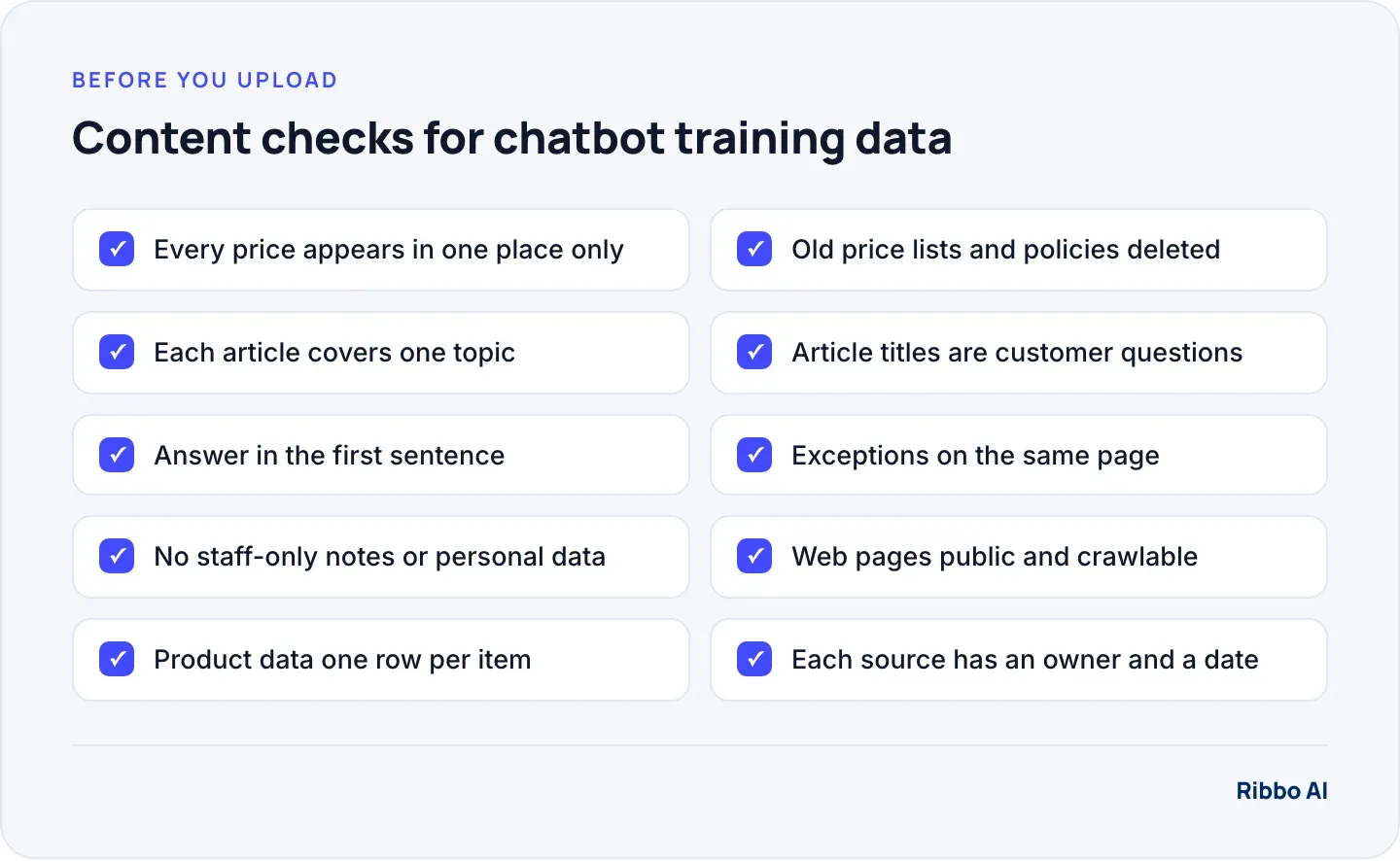
- One topic per article. Returns in one, delivery in another. A single "Everything you need to know" page mixes answers together.
- Title it as the question. Use the words customers use: "How long does delivery take?" rather than "Fulfilment timelines".
- Answer in the first sentence. Detail and conditions follow.
- Put exceptions on the same page. If sale items have a different returns window, say so here, not in a separate FAQ.
- Write sentences that stand alone. "As mentioned above" and "see the table" mean nothing when the chatbot reads only one section.
- Spell out terms. Name the product and the plan in full the first time in each section.
A template that follows those rules:
Title: Can I return an item?

Answer: Yes. You can return most items within 30 days of delivery for a full refund.

Conditions:
- Items must be unused and in original packaging.
- Sale items: 14 days, refund as store credit.
- Not returnable: mattresses, made-to-order furniture.

How to start a return: Reply to your order email or ask in chat with your order number.

Last updated: 1 October 2026. Owner: Priya (customer service)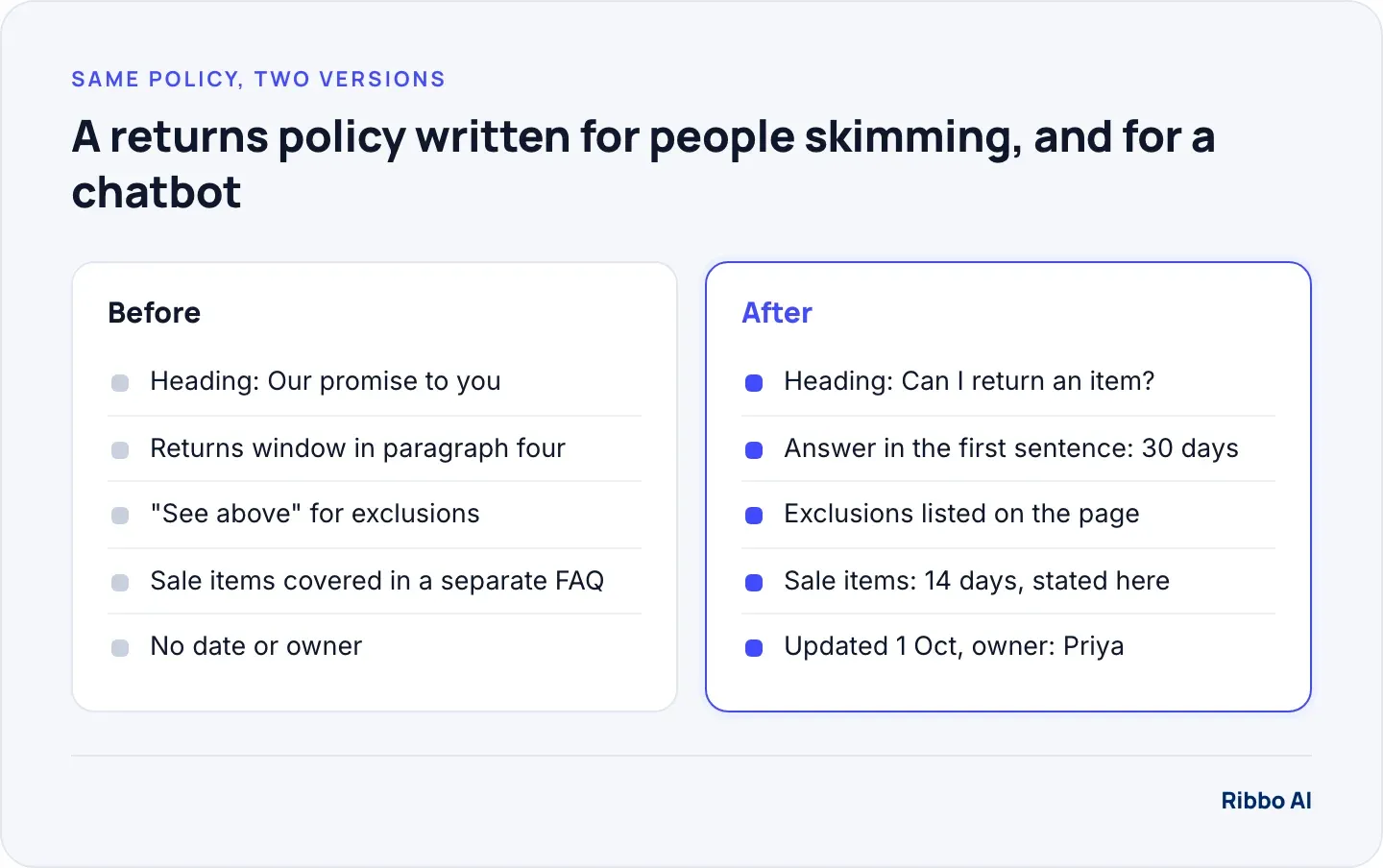
Remove duplicates and contradictions
Most wrong answers in a new chatbot come from content that disagrees with itself. The returns window says 30 days on the website and 28 in an old PDF. The delivery charge was updated on the product page but not in the FAQ. The chatbot finds both and has to pick one.
A quick audit catches most of it:
- List the 20 numbers customers ask about most: prices, fees, windows, limits, hours.
- Search every source for each number and for the words around it.
- Where two sources disagree, decide which is right, fix it and delete or correct the other.
- Give each topic one owner who signs off changes.
The same applies to question and answer pairs. If an answer changes, edit the existing pair. Adding a new pair with the new answer leaves two pairs that contradict each other.
Prices and product data
Keep everything about one item in one row. A spreadsheet with columns for product name, SKU, size, price, delivery charge and availability lets the chatbot answer "how much is the 180 cm oak table delivered" from a single place. Splitting the price into one file and the description into another asks the system to join them, and it will not always manage it.
Prices and stock that change daily are a different problem. A file uploaded on Monday is wrong by Wednesday. For live figures, connect the chatbot to the system that holds them so it looks the number up at the moment of asking, which Ribbo does with Data Tools.
Policies: write them as rules
Policies written for lawyers or for marketing both cause trouble. Rewrite the customer-facing version as conditions and outcomes:
If the item arrived damaged, we replace it free of charge. Send a photo within 7 days of delivery. After 7 days, we treat it as a standard return.
Every number, deadline and exception is stated, and the sentence makes sense on its own. Keep the legal terms as a separate linked document the chatbot points to rather than paraphrases.
Website pages as a source
- Make sure the pages can be read. Pages behind a login, inside tabs that load on click, or blocked in robots.txt may not be collected. Google's robots.txt introduction explains how those rules tell crawlers which URLs they can access.
- Choose pages, do not crawl everything. Your product, pricing, delivery, returns and help pages usually cover most questions. Old news posts and opinion pieces add noise.
- Give pages clear titles. A page you create for the chatbot should be titled for what it contains, such as "Delivery questions and answers for Acme Home", not "Bot content".
How to train a chatbot on your content and keep it current
Training here is a routine: load the sources, test with real questions, fix the content, repeat. After launch, two habits keep it accurate. Re-read your website and files on a schedule so changes flow through, and keep a short change log so whoever edits a policy also checks the chatbot's answer to it. The questions it could not answer are your list of articles to write next.
For the full build from documents to a tested agent, including what to leave out for privacy, read how to build a knowledge base chatbot.
Where Ribbo fits
Ribbo AI reads your website, documents and files and re-reads them on a schedule (Autotrain), so a policy you fix on the site reaches the agent at the next refresh. It answers only from the sources you gave it and is instructed to say when it does not know. Every conversation is readable in the dashboard, so the questions it could not answer show you which article to write next. Live figures come from your systems through Data Tools rather than from uploaded files. The platform page explains how sources and Data Tools work together, and you can test your prepared content on the Free plan.
Frequently asked questions
Do I need to retrain the AI model on my data?
No. Customer service chatbots normally keep the language model as it is and give it your content to answer from at the moment of each question. Preparing that content well does more for accuracy than any model setting.
Are Q&A pairs better than documents?
They work well for questions your pages answer badly or not at all. Phrase the question the way a customer would and write a complete answer. Use them to fill gaps, and keep long policies as documents.
How long should a knowledge base article be?
As long as one topic needs and no longer. Most good help articles are a few hundred words with the answer first. If an article needs several headings to cover different questions, split it.
Can I upload content in one language and answer in others?
With Ribbo, yes: customers write in their own language and get the answer in it, from a knowledge base written once. Write the source in the language your team checks best, so you can verify it.