
Data Tools on Ribbo: Exact Answers from your Own Systems | RibboAI

Document search is good at explaining a policy and unreliable at reading one customer's balance. Data Tools give a Ribbo agent exact lookups in your own data, after the customer is verified.
A customer asks for their balance. Without Data Tools, a Ribbo AI agent can only tell them where to find it. With Data Tools, it reads the figure from your data and gives it to them, after checking who they are.
Data Tools are the AI agent tools that connect a Ribbo agent to your records: account balances, order status, profile details and anything else that differs from one customer to the next. Here is why they exist, how a lookup works step by step, how to set one up, and how the data is kept separate.
Why document search is the wrong tool for "what is my balance"
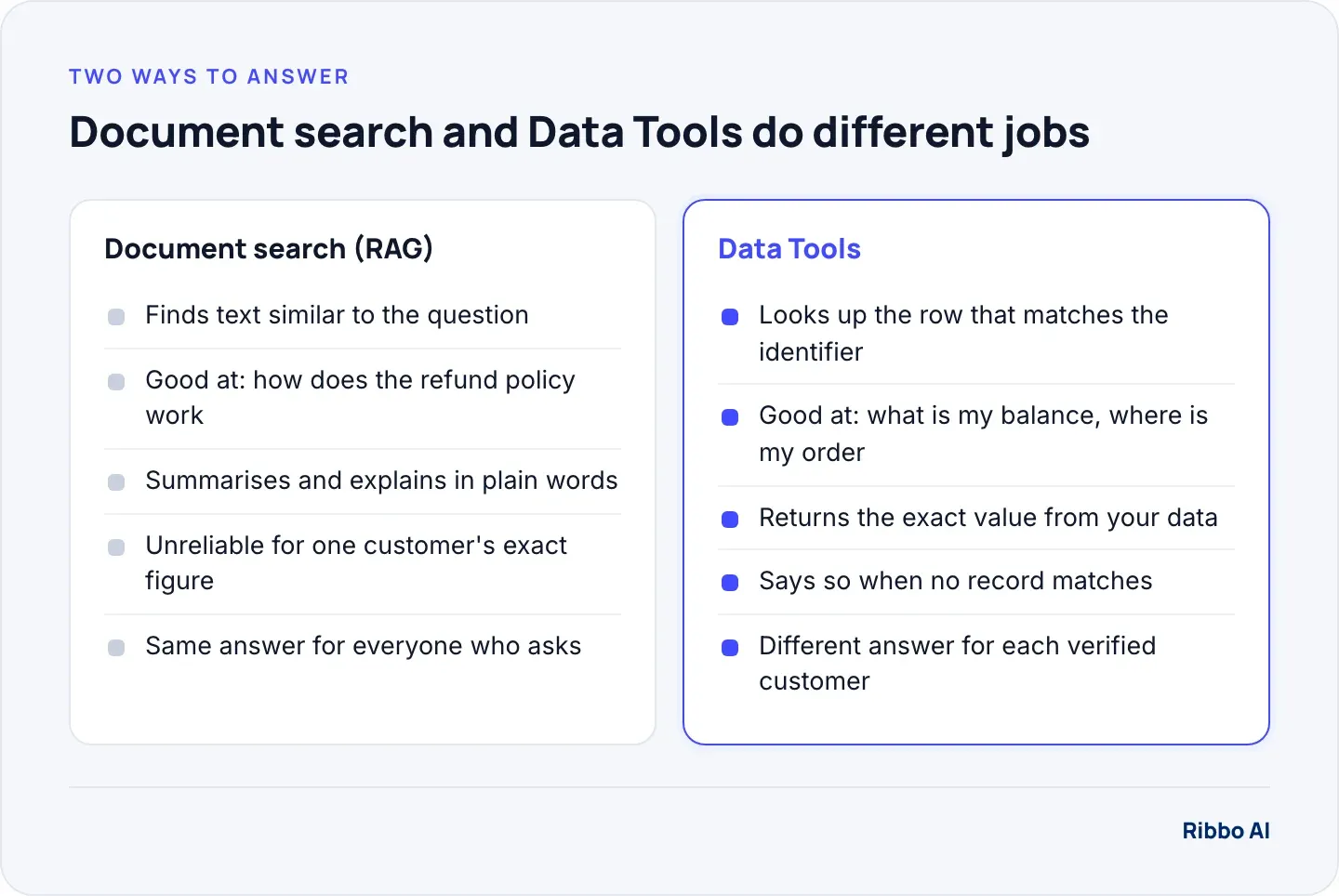
Ribbo started by answering from the business's own content: website pages, documents and files. That covers questions about products, services and policies. It cannot cover questions about one person's account, because that information is not in a document.
Document search, usually called retrieval-augmented generation or RAG, works by finding text that looks similar to the question and asking the model to answer from it. That makes it good at interpreting how people phrase things, summarizing long policies and replying in natural language. It also makes it probabilistic. For "how does the refund policy work", a close match is fine. For "what is my balance", a close match is the wrong customer's row or a guessed digit, and neither is acceptable.
Data Tools pair the conversational side with a deterministic lookup: find the record that exactly matches this customer's identifier and return its values. The agent still handles the language. The figures come straight from your data.
How a Data Tools lookup works
- The customer is identified. The agent asks for an identifier the business has chosen, such as a phone number, email address or ID number. On WhatsApp, the verified phone number can serve as the identifier from the first message.
- The system finds every matching record. It searches your data for that exact identifier and pulls the matching records across whatever categories you have set up, for example fees, orders and profile.
- The agent answers from those records. The balance, status or date in the reply is the value in your data.
- No match means no answer. If nothing matches, built-in guardrails stop the agent from inventing a record. It tells the customer it could not find one and offers a person to verify their details.
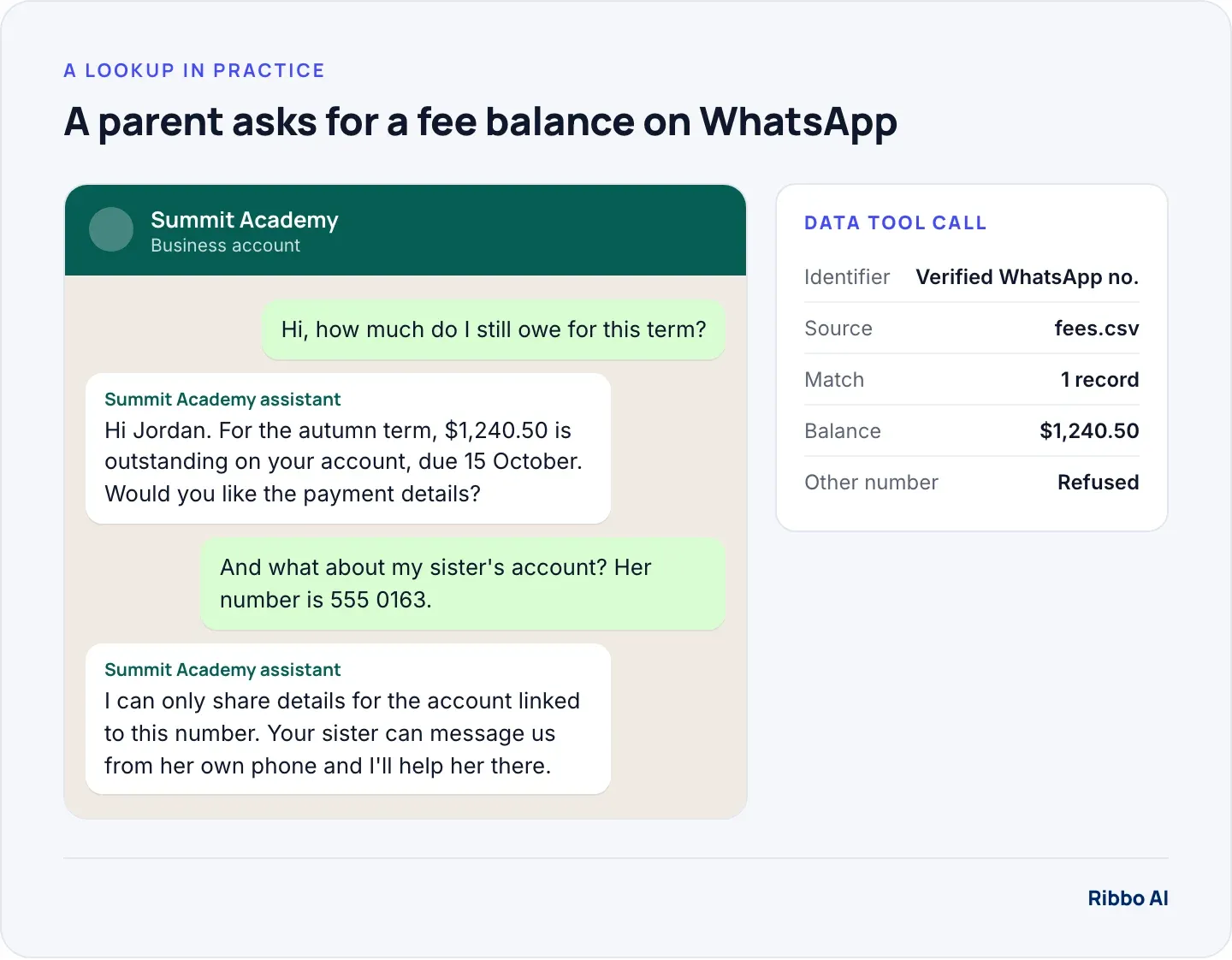
The identifier is bound on the server from the verified session. The model never chooses whose record it reads, so a customer cannot type an instruction that changes it. This matters because language models can be talked into things: OWASP lists prompt injection, where user input alters a model's behavior, first in its Top 10 for language model applications, and recommends handling privileged functions in code rather than leaving them to the model. Our glossary entry on identity verification covers the options.
Setting up a Data Tool
The setup sits in the agent's configuration in Ribbo:
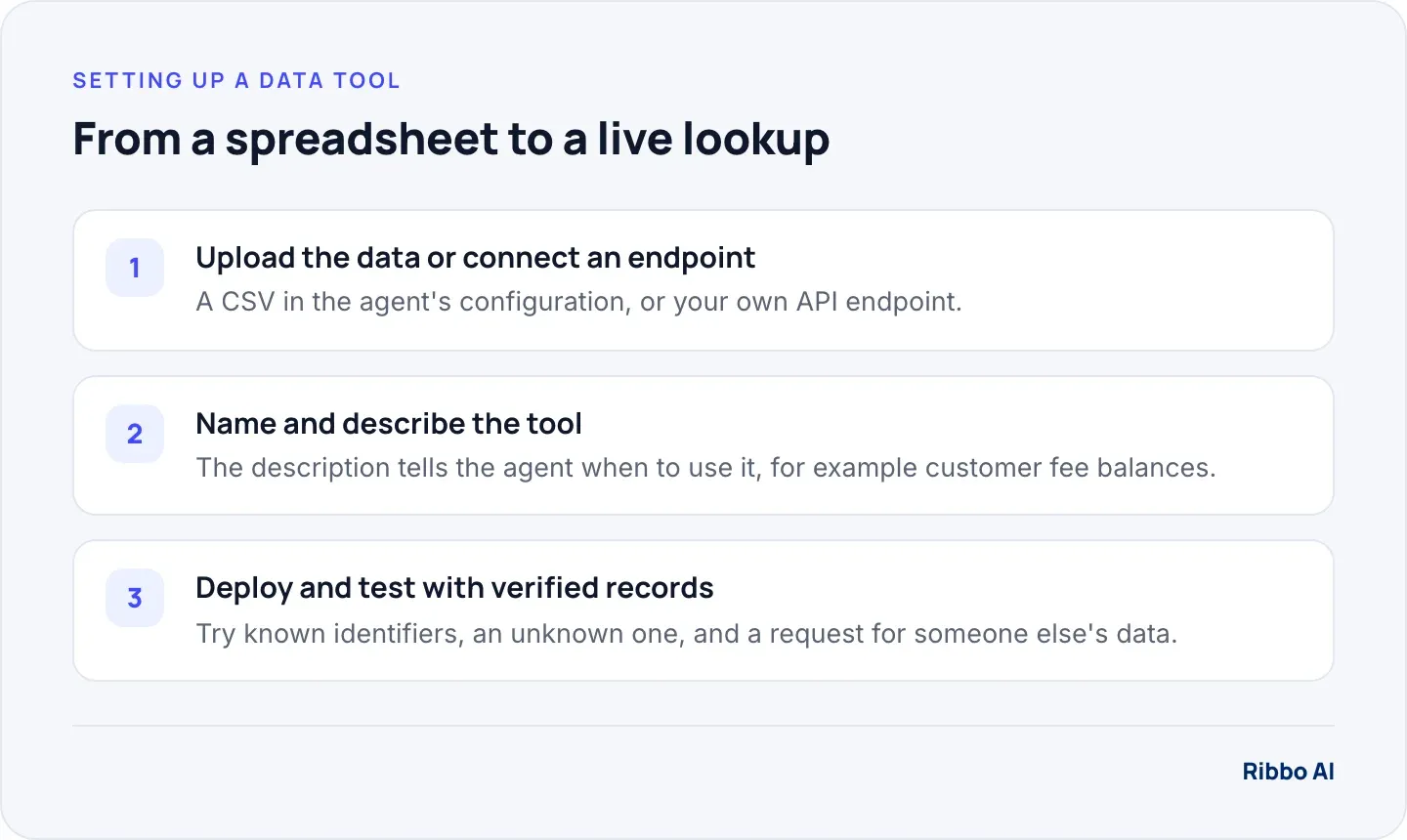
- Add the data. Upload a data set such as a CSV file, or point the tool at your own API endpoint so it reads live values from your system.
- Name it and describe it. A short name and description, such as "Fee balances: outstanding amount and due date per parent account", tells the agent when to call it.
- Deploy and test against known records. Check a customer you know exists, an identifier that does not exist, and a request for another person's data.
A CSV is the quickest way to prove the idea. Exported once, it is out of date the next day, so most teams move to an endpoint once the questions are right.
Beyond reading: payments and write-backs
The same mechanism can do more than read. Through Data Tools an agent can send a payment request in the chat, in supported regions, and write results back to your systems, including your own endpoints over a webhook. Anything that writes to your systems can wait in an approval queue for a person to release, so you decide which actions run on their own.
How the data is kept separate
- Per agent. Each agent has its own Data Tools. Agents in the same organization cannot read each other's data.
- Per organization. Each organization's agents and conversations are kept apart from every other organization's.
- Lookup only. Personal details such as the phone number or ID are used to find the record. The agent is locked out of sending customer details anywhere outside its own workflow.
- Identity on the server. As above, the identifier comes from the verified session, never from the model.
Where Data Tools fit in Ribbo
Ribbo's platform has three parts: knowledge, actions and signals. Data Tools are the actions part. The knowledge part answers how things work from your documents; Data Tools answer what is true for this customer right now. Most real conversations use both: "how do I pay my fees?" from the knowledge base, then "how much do I owe?" from a lookup.
For the cost side of the same idea, our post on cost per ticket shows what happens when order status questions stop needing a person.
Frequently asked questions
What data formats do Data Tools accept?
An uploaded data set such as a CSV file, or your own API endpoint. Start with a CSV to test the questions, then connect an endpoint for live values.
What happens if a customer gives the wrong identifier?
If nothing matches, the agent says it could not find a record and offers a person to verify the details. It does not guess or show a near match.
Can one customer see another customer's data?
No. The identifier is taken from the verified session on the server, so typing someone else's number or ID does not change whose record is read.
Can different agents share a Data Tool?
No. Each agent has its own Data Tools, and agents in the same organisation cannot read each other's data. If two agents need the same records, give each its own tool.