
Comparing AI chatbots: Ribbo AI vs Chatbase vs Orimon AI

Introduction
In the age of digital transformation, artificial intelligence (AI) has emerged as a key player in reshaping various sectors, including customer support. AI chatbots, in particular, are being increasingly utilized by businesses to provide instant, round-the-clock customer service. These chatbots not only help in reducing the response time but also in handling multiple customer queries simultaneously, thereby improving the overall customer experience.
This blog post is a comparison of three popular AI chatbot applications: Ribbo AI, Chatbase and Orimon AI. These applications are designed to help businesses develop and integrate AI chatbots into their websites. Our comparison will be based on several parameters, including the accuracy of results, ease of use, pricing and limits, and the overall impression.
Methodology
To ensure a fair and comprehensive comparison, we will be using a real-life example. We will take the case of LiveReacting.com, a platform for runnning interactive live videos. Our objective will be to create a customer support chatbot for LiveReacting using each of the three applications.
The process will be as follows:
- Chatbot creation and Training: We will create a chatbot using each application, focusing on the ease of use, the range of features offered, and the flexibility in customization. Each chatbot will be trained using the same set of data.
- Testing: Each chatbot will be tested for its accuracy in providing correct and relevant responses. We will use the same set of questions for each chatbot to ensure consistency in our evaluation. The accuracy will be determined based on whether the chatbot's answer was correct or not.
- Integration: We will assess how easily and quickly the chatbot can be integrated into the website as a chat widget.
- Pricing and Limits: We will evaluate the cost-effectiveness of each application, considering the pricing plans and the limits attached to them.
- Overall Impression: Lastly, we will provide an overall impression of each application, based on our experience of using them.
By following this methodology, we aim to provide a detailed and unbiased comparison of the three AI chatbot applications.
Chatbot Creation Process for each app
Chatbase
Description and Features
Chatbase is an AI chatbot builder that allows you to create, train, and embed intelligent chatbots on your website. The platform leverages ChatGPT, a powerful language processing model, to understand and respond to user queries effectively. Chatbase enables the creation of chatbots from your knowledge base, allowing you to import data sources like website content or Notion pages into your chatbot.
Pricing
Chatbase offers various pricing plans, ranging from free to premium. The free plan offers 30 message credits per month and allows you to create one chatbot. On the other hand, the premium plans offer more message credits, chatbots, and characters per chatbot, with prices ranging from $19 to $399 per month.
Walkthrough of Chatbot Creation Process
Creating a chatbot with Chatbase involves a series of steps:
- Creating a new chat application: The first step is to create a new chat application on the Chatbase platform. For that you need to go to My Chatbots page and click on the "New Chatbot" button.
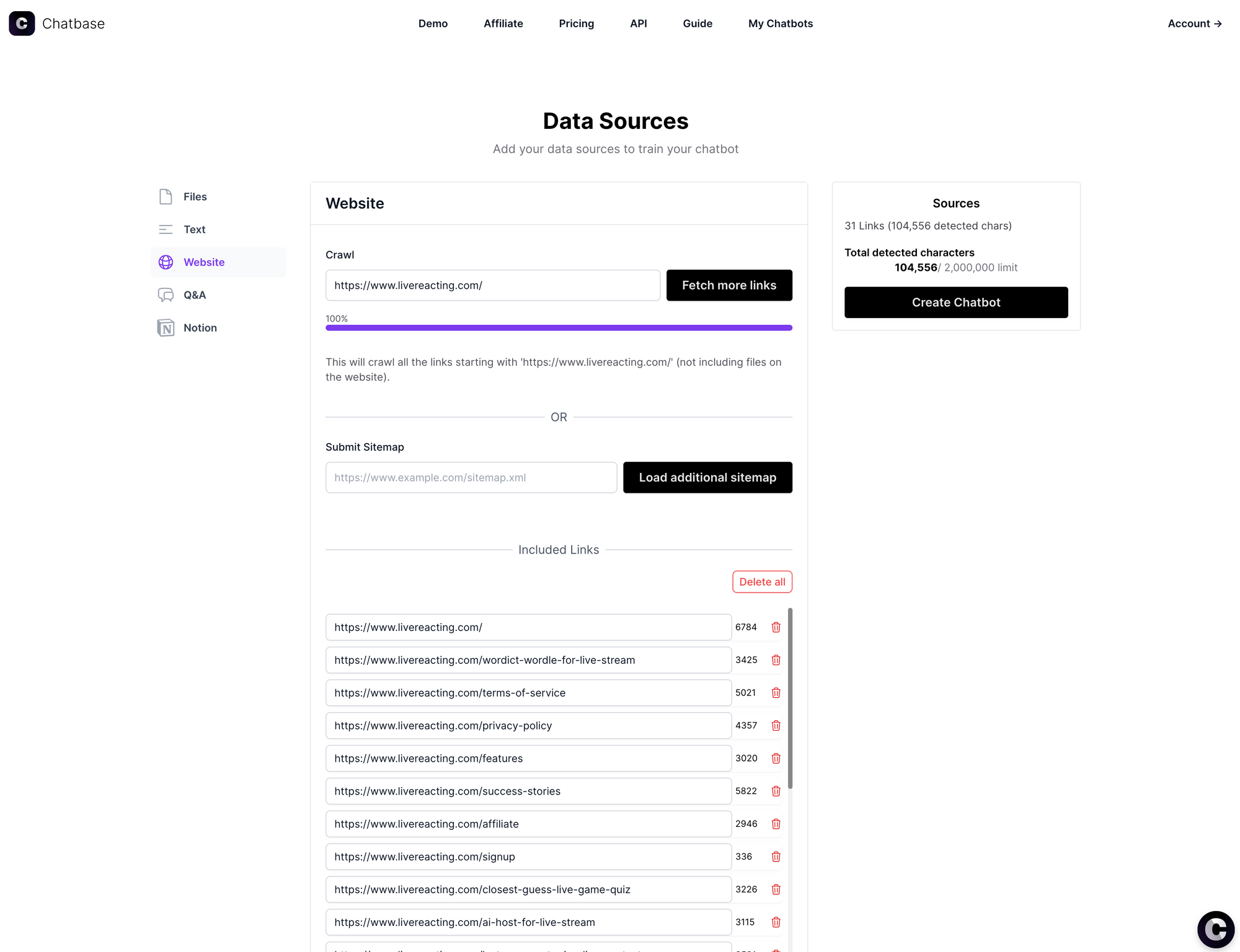
- Adding new data sources: Once the application is created, the next step is to add new data sources. You will be automatically redirected to Data Sources page. In our case, we will be adding the website as our data source. Enter https://www.livereacting.com and click "fetch links". The crawling process takes about a minute or two and indexes all the web pages on that domain.
- Training the chatbot: With all links crawled, click on the "Create chatbot" button. It redirects to the chatbot page and starts training in the background. Shortly after (about 1-2 minutes) you receive a notification that the chatbot is trained.
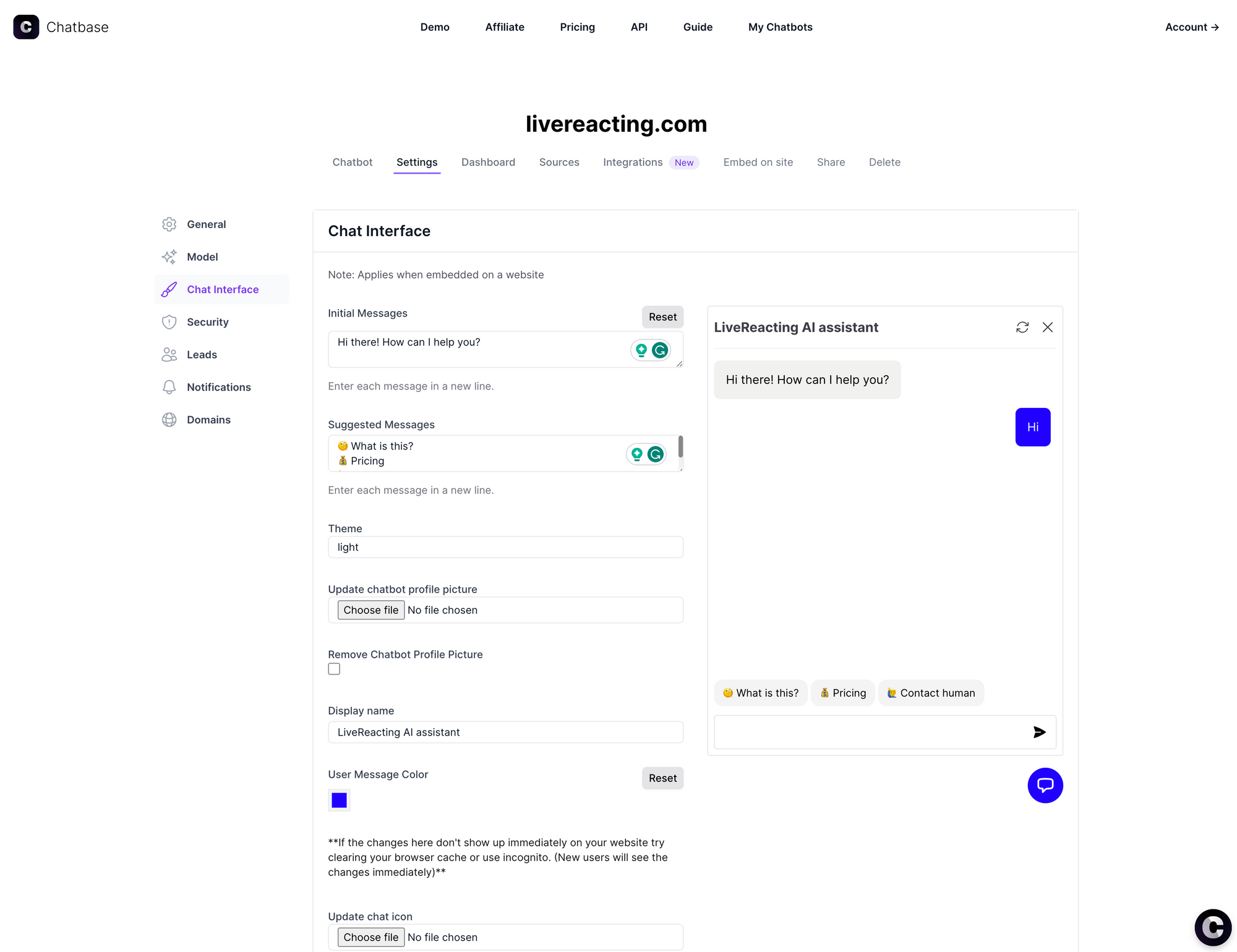
- Configuring the branding and look of the chat widget: Once the chatbot is trained, we can then configure the branding and look of the chat widget. The process was quite buggy and I had to enter values for colors and titles multiple times until they got saved.
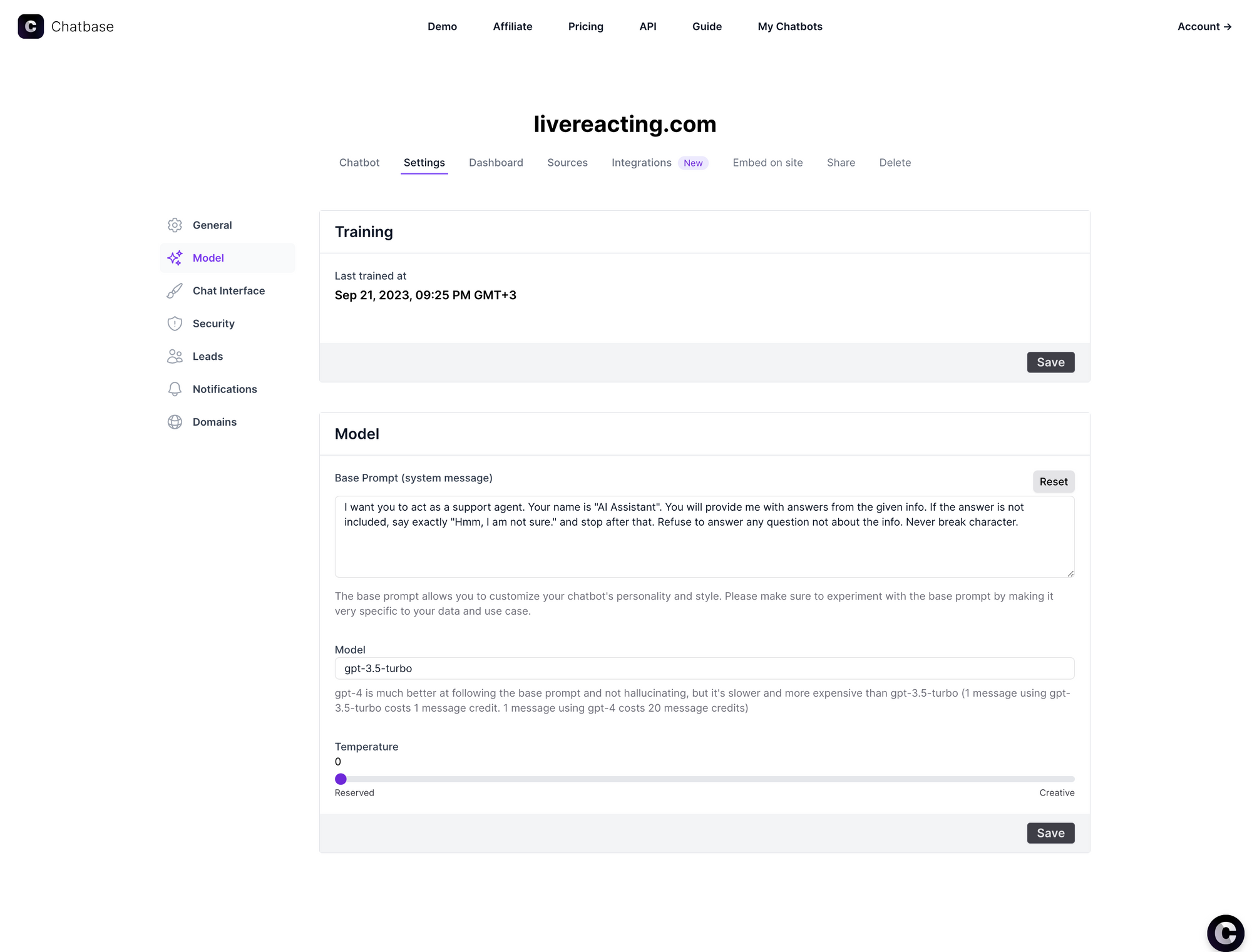
- Configuring the AI model: The final step is to configure the AI model. There are only a few basic configurations: select base prompt, model and temperature.
Once all these steps are completed, our chatbot is ready to be tested and integrated into our website as a chat widget.
Ribbo AI
Description and Features
Ribbo is a modern platform for creating AI-augmented chatbots that handle customer queries through an embedded chat widget or WhatsApp integration. It leverages a collection of language models including ChatGPT, Claude, Gemini and Deepseek with Retrieval Augmented Generation to respond to customer queries in a friendly and prompt manner. To create a chatbot, an organization creates a knowledge base and a system prompt that guide the bot on how to answer and what to avoid saying or assuming. Thereafter, each conversation with the chatbot is weighted and scored with regards to the customer's purchase intent, providing a clearer path to onboarding for sales representatives.
Pricing
Ribbo has 5 price tiers to suit the needs of each organization whether big or small:
- Free tier - Includes 1 chatbot instance, 30 message credits, 1 million output characters and 5MB file upload. Ideal for those who want a proof of concept before onboarding (limited to base model GPT).
- Small tier - $20 per month. Includes 2 chatbot instances, 2,000 message credits per month, 2 million output characters, automated retraining of the bot every 24 hours and 10MB file upload. This tier supports only 1 team member thus is ideal for a growing team with minimal deployments.
- Medium tier - $50 per month. This is the most popular tier, and includes 5 chatbot instances, 5,000 message credits per month, 4 million output characters, automated retraining of the bot every 6 hours and 30MB file upload. This tier supports 3 team members and is a good starting point to teams looking for flexibility at scale.
- Large tier - $150 per month, Includes 15 chatbot instances, 10,000 message credits per month, 6 million output characters, automated retraining of the bot every hour and 70MB file upload. This tier supports 5 team members and is ideal for large organizations with high-volume support needs.
- Custom tier - This is intended for large organizations which may require custom plans for number of instances, message credits and output tokens. Requires a client to contact sales for tailoring a plan.
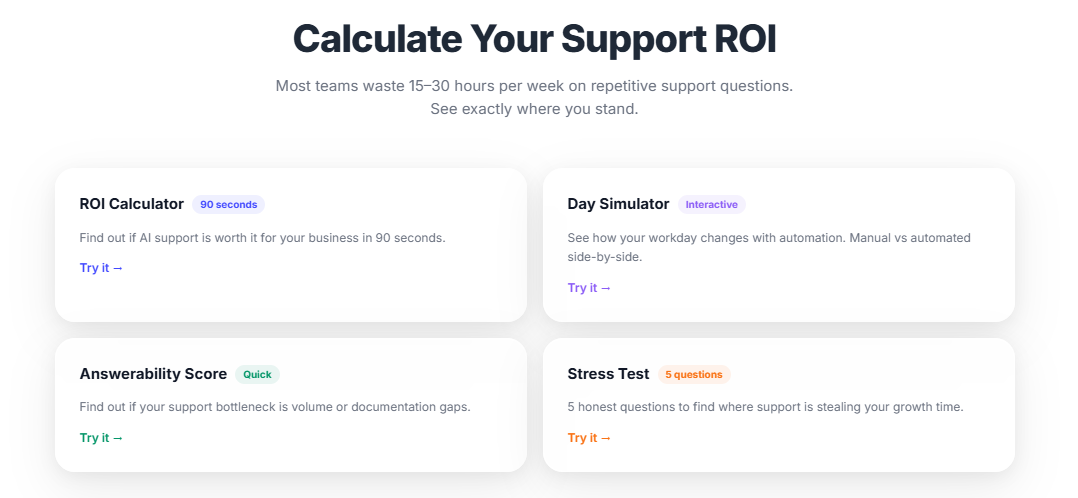
Ribbo also ensures a 30-day money back guarantee, with no credit card required for the free tier. A customer can also calculate the ROI on using Ribbo as part of their customer support workflow using the tools shown below:
Walkthrough of Chatbot Creation Process
Creating a chatbot with Chatbase involves a series of steps:
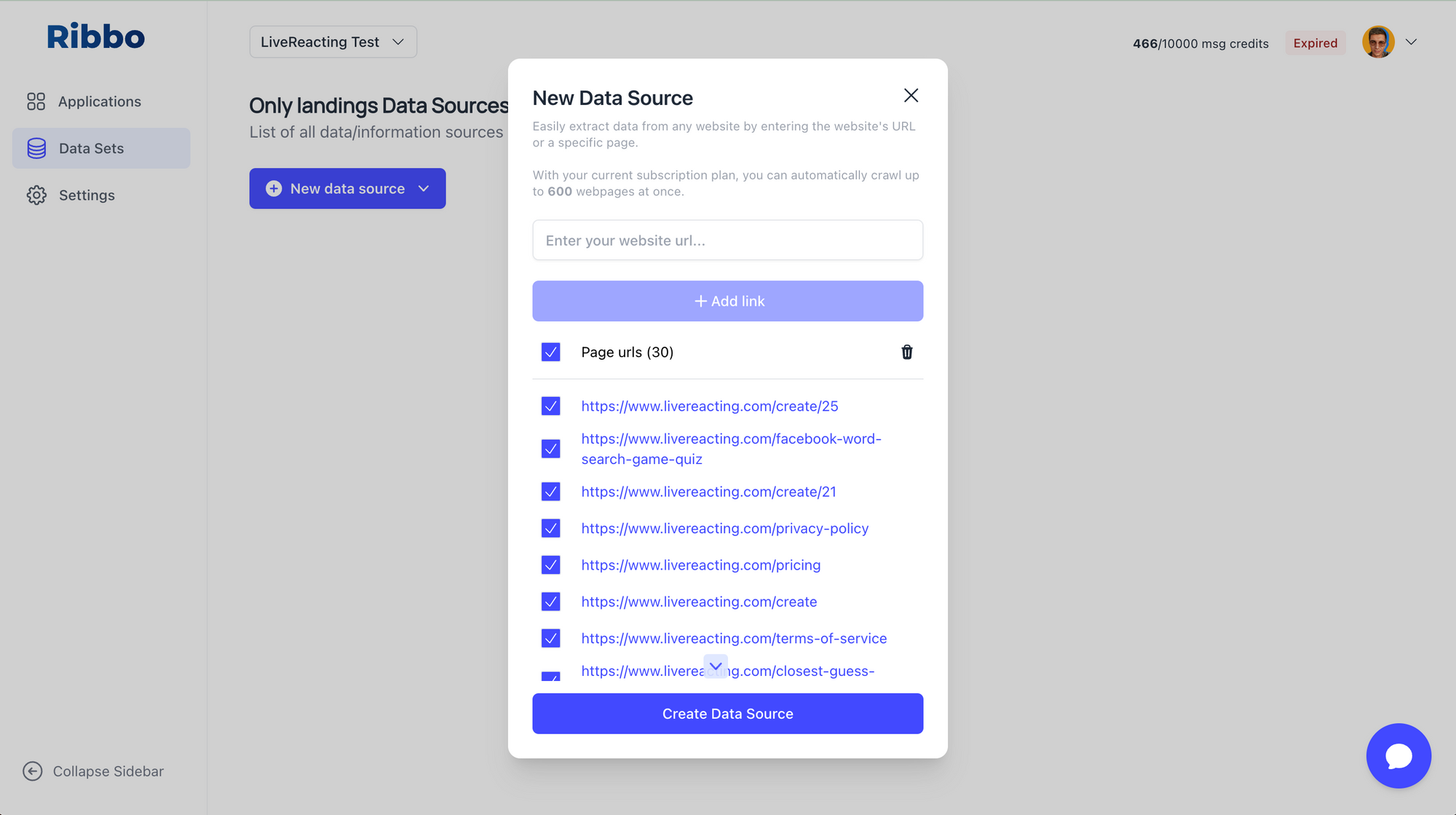
- Adding new data sources: For Ribbo the process is slightly different. You first add your datasources (the cool thing is that you can separate them to different data sets and then use separately for different applications, for example you can create a chat application for internal usage for your team and for public customer support. App for internal usage can include data sets with private company data + all public data. And public chatbot app can include only public data. Again, we will be adding the website as our data source. Enter https://www.livereacting.com and click fetch links. Crawling process took under 1 minute and produces a list of all website pages.
- Training the chatbot: When all links are crawled, click on the "Create data source" and it automatically trains the AI model based on all crawled data.
- Creating a new chat application: Now, create a new chat application and select data sets to be included.
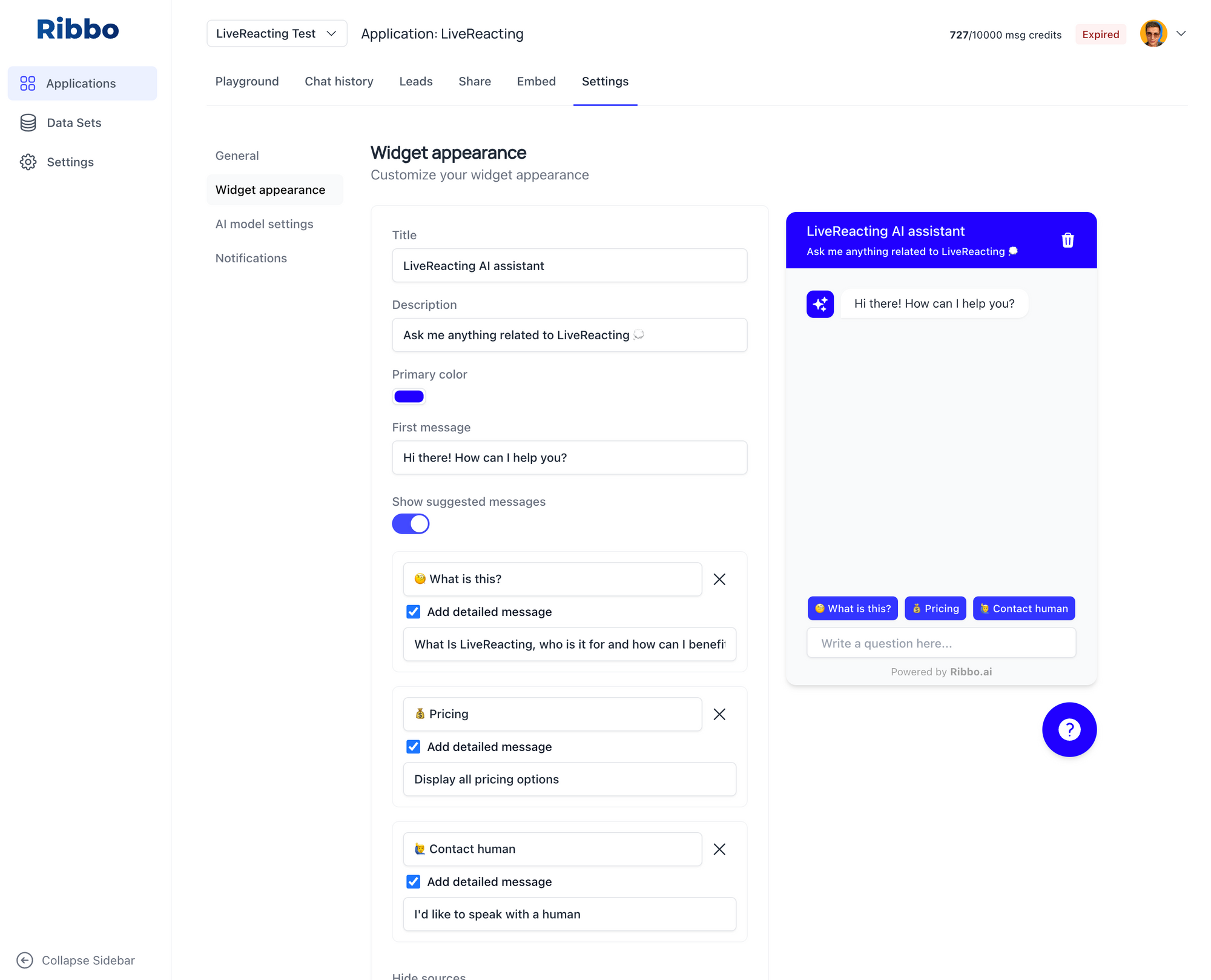
- Configuring the branding and look of the chat widget: Once our chatbot is trained, we can then configure the branding and look of the chat widget. The chat widget looks slick and modern compared to the previous app.
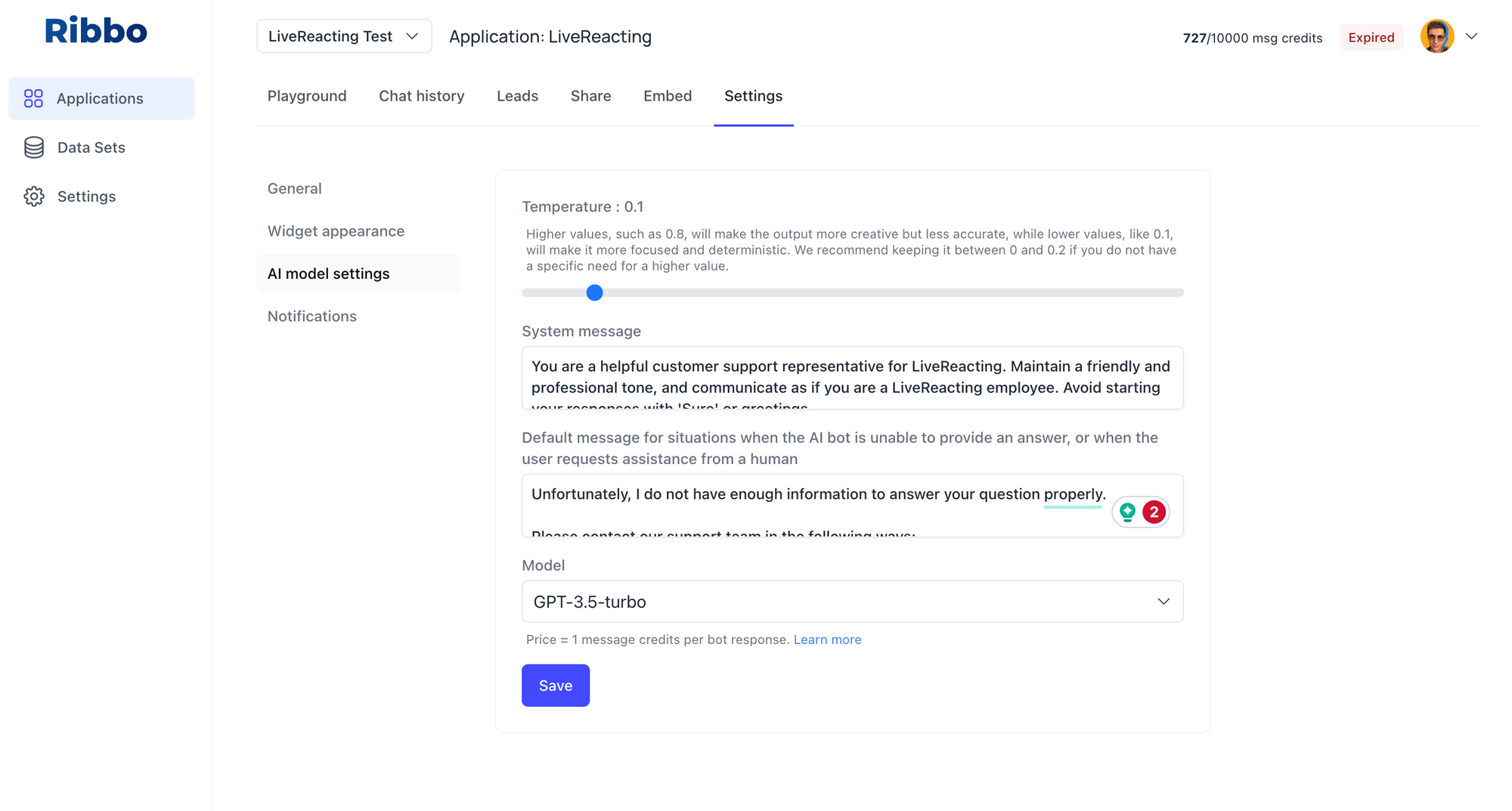
- Configuring the AI model: The final step is to configure the AI model. Ribbo has all the configurations Chatbase has, in addition to a "Default message for situations when the AI bot is unable to provide an answer". This is very useful to redirect cases that AI cannot resolve to your team members.
Testing accuracy of chat responses
We will use 4 questions for evaluating the accuracy of answers for all chatbots.
Questions:
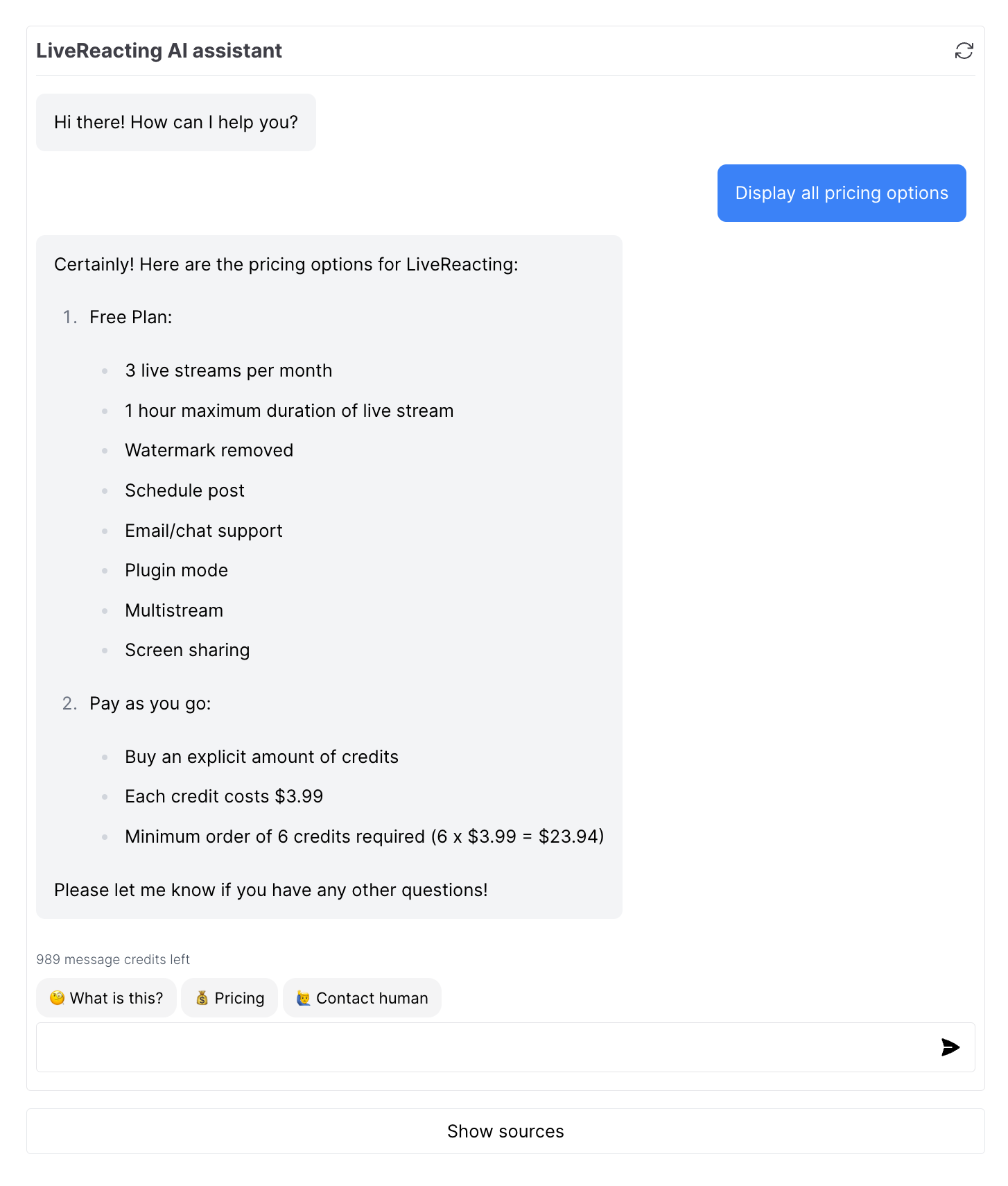
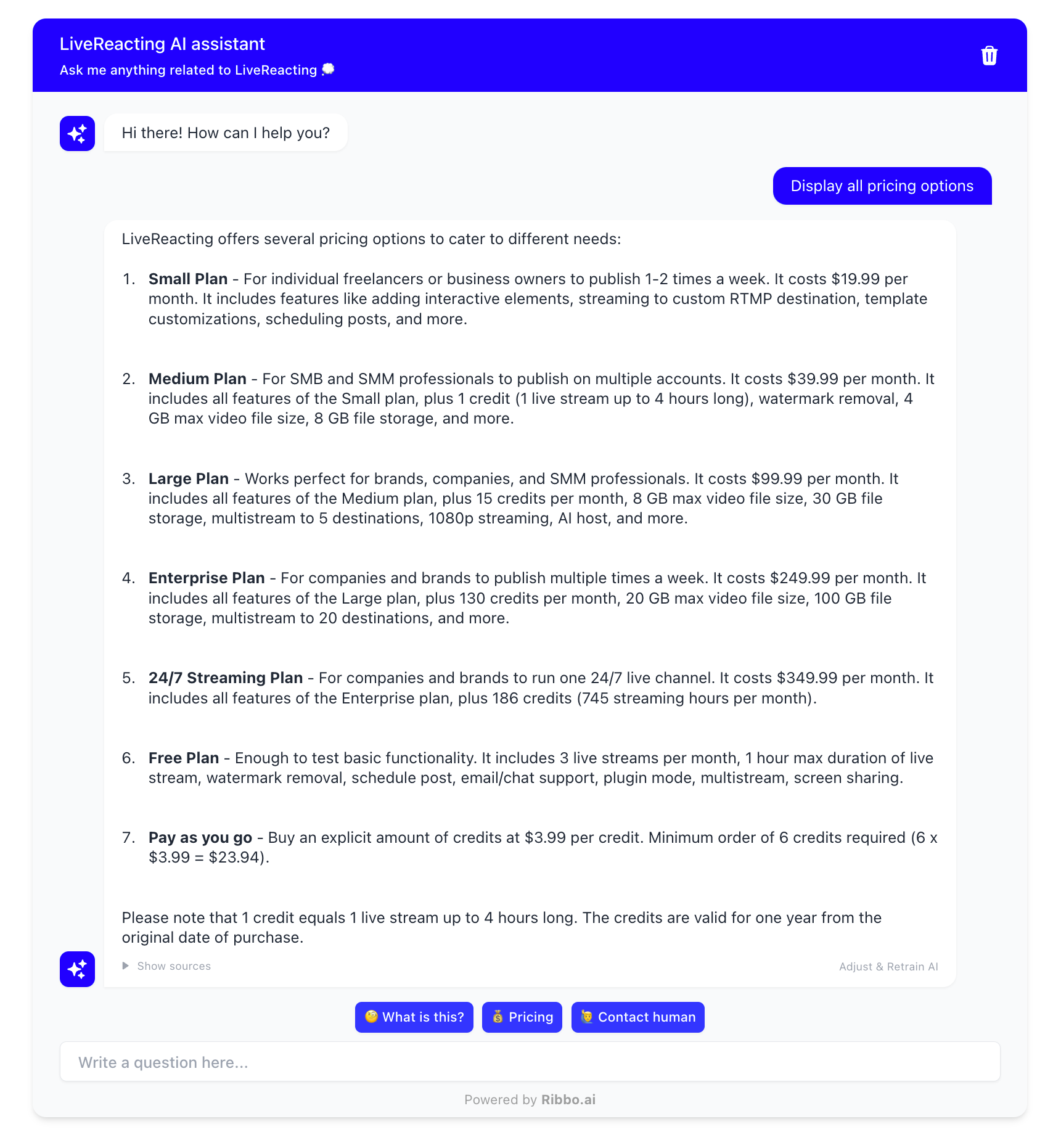
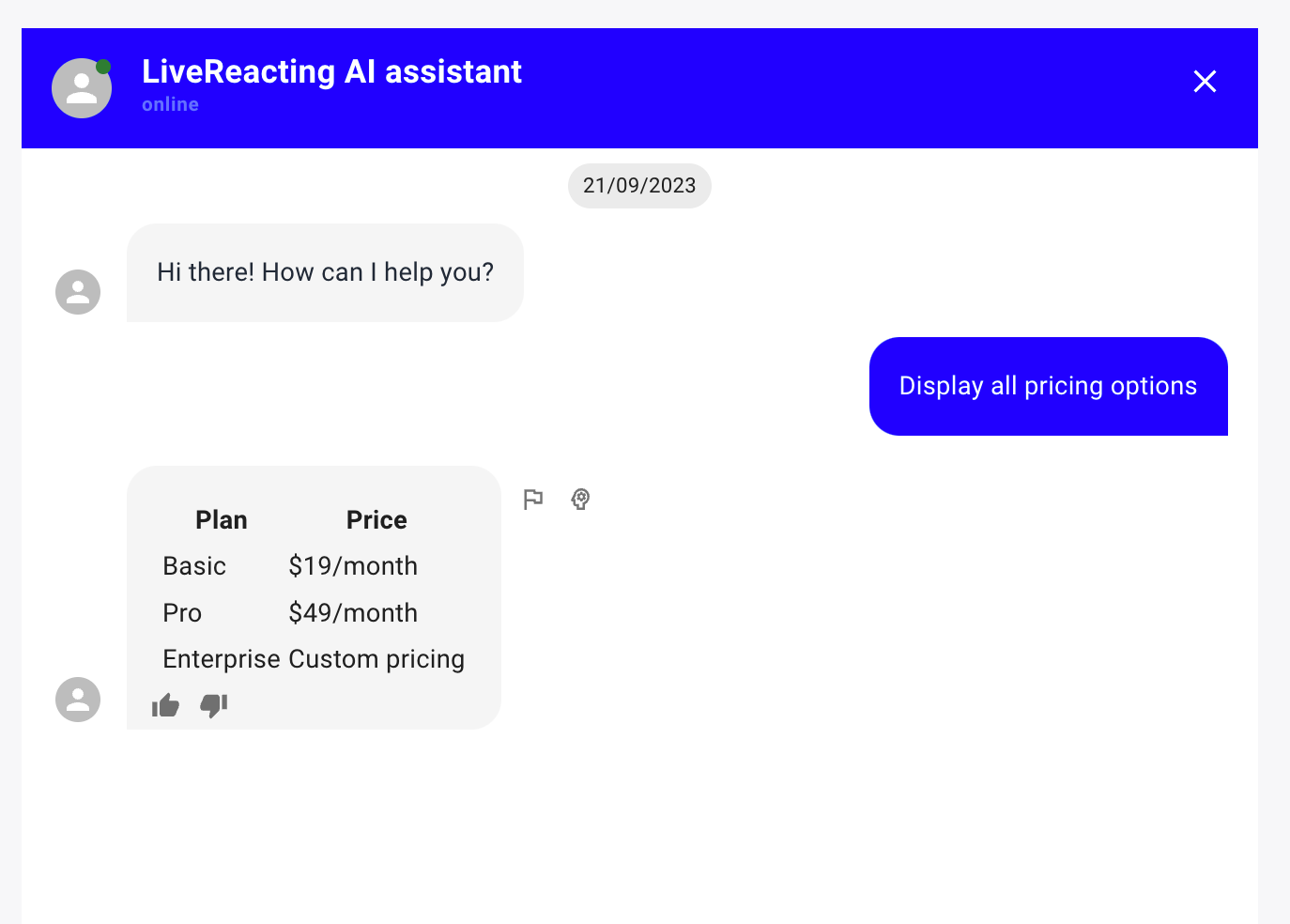
1. Display all pricing options
Chatbase:
Ribbo AI:
Orimon AI:
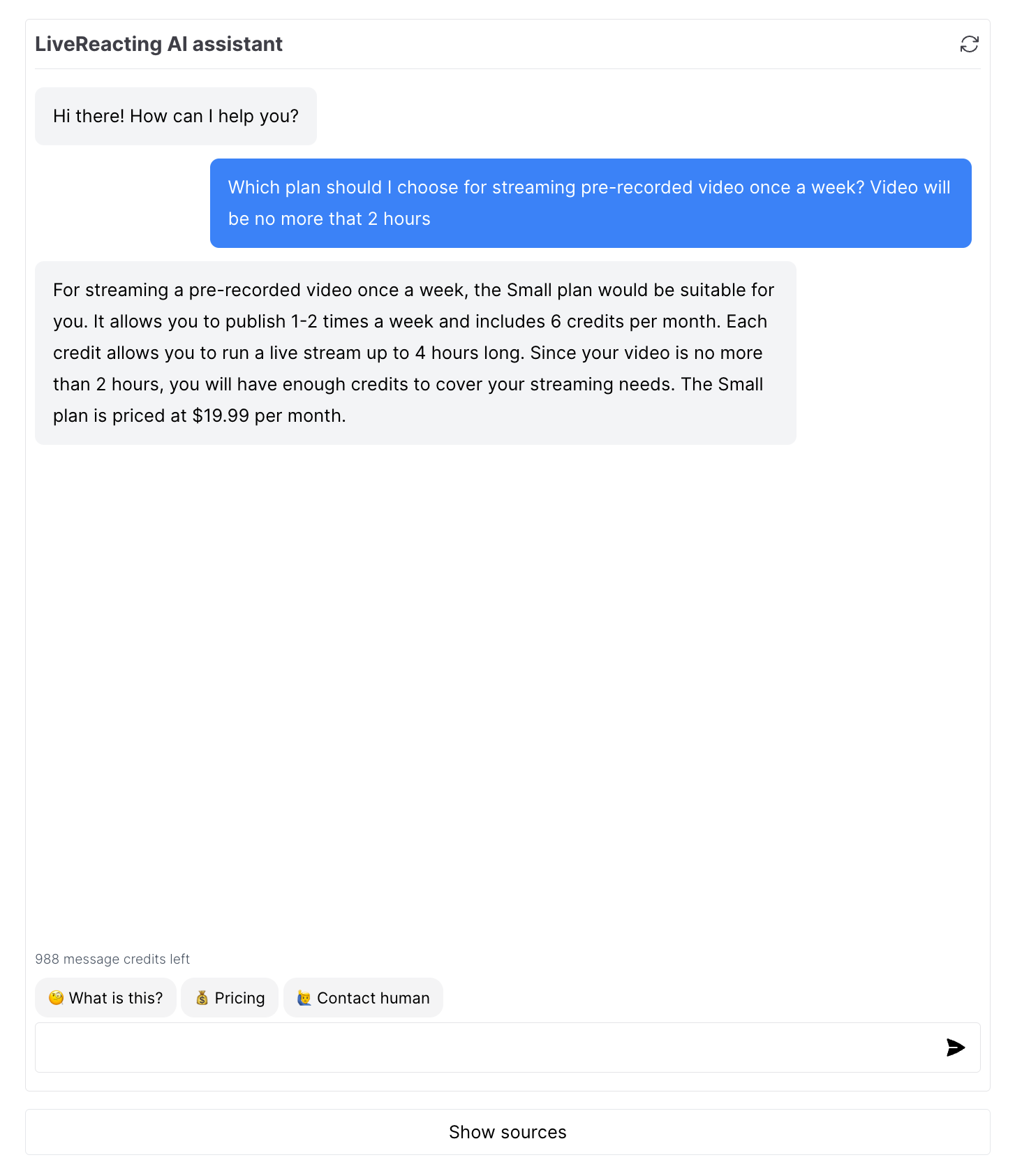
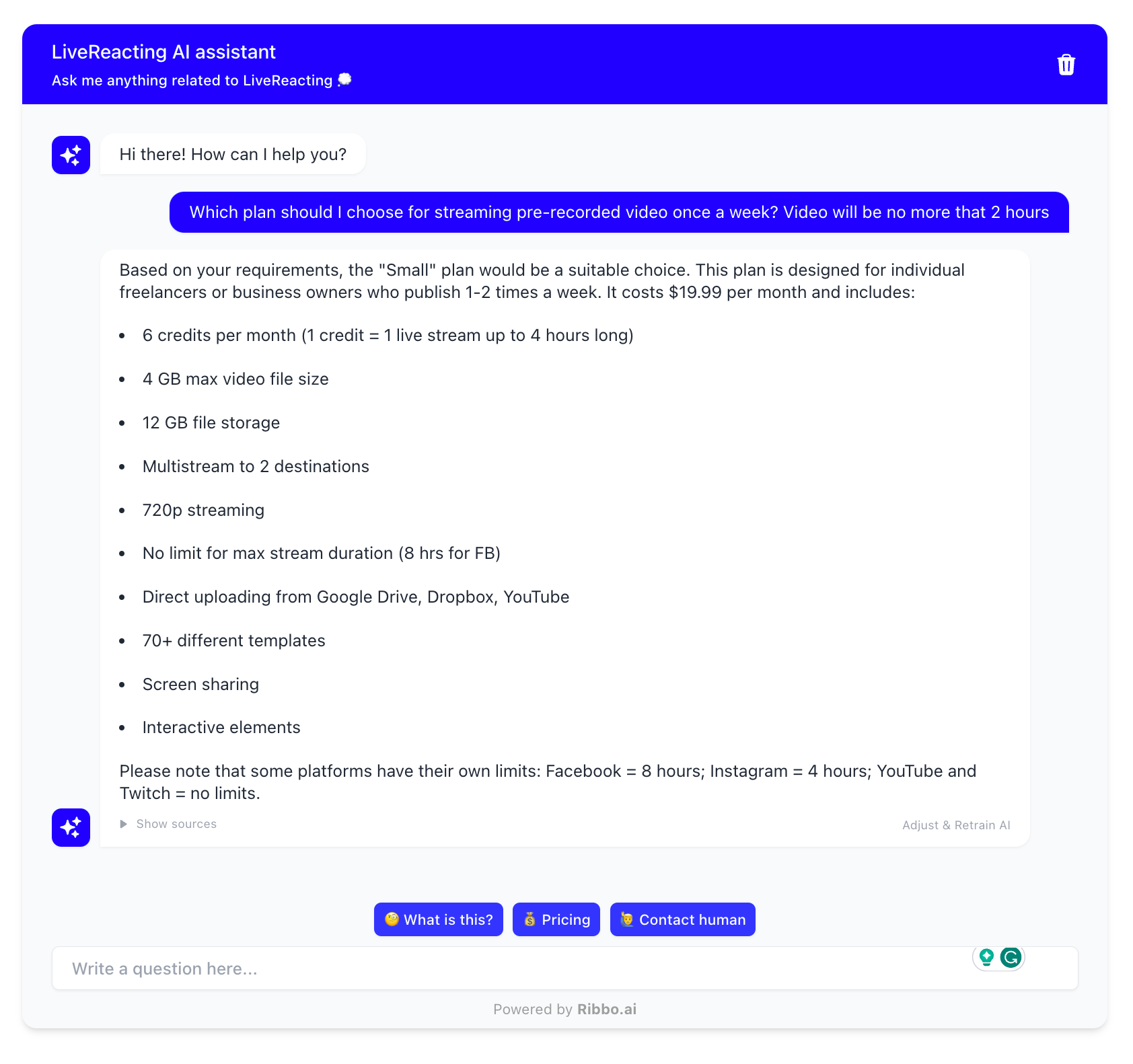
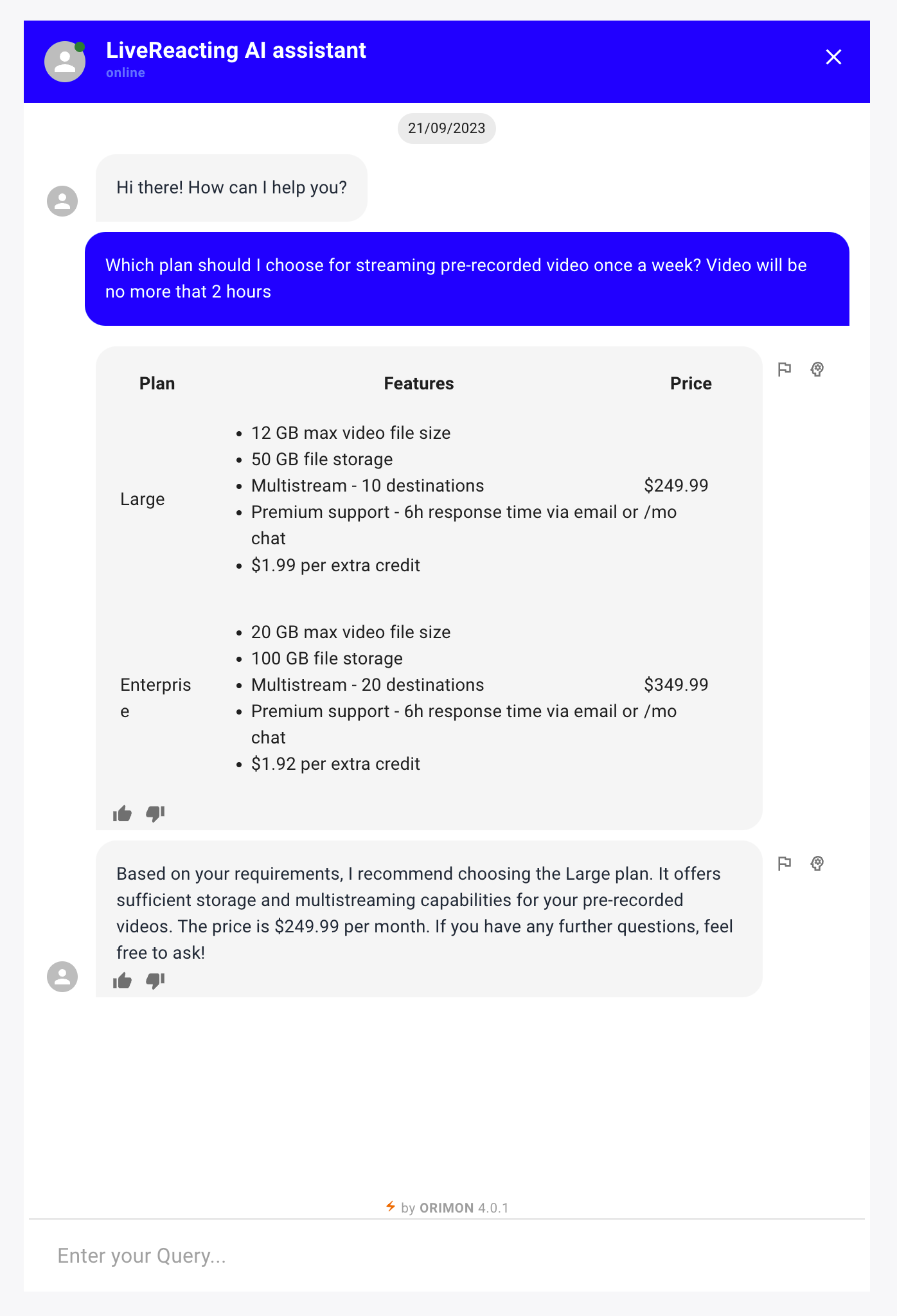
2. Which plan should I choose for streaming pre-recorded video once a week? Video will be no more that 2 hours.
Chatbase :
Ribbo AI:
Orimon AI:
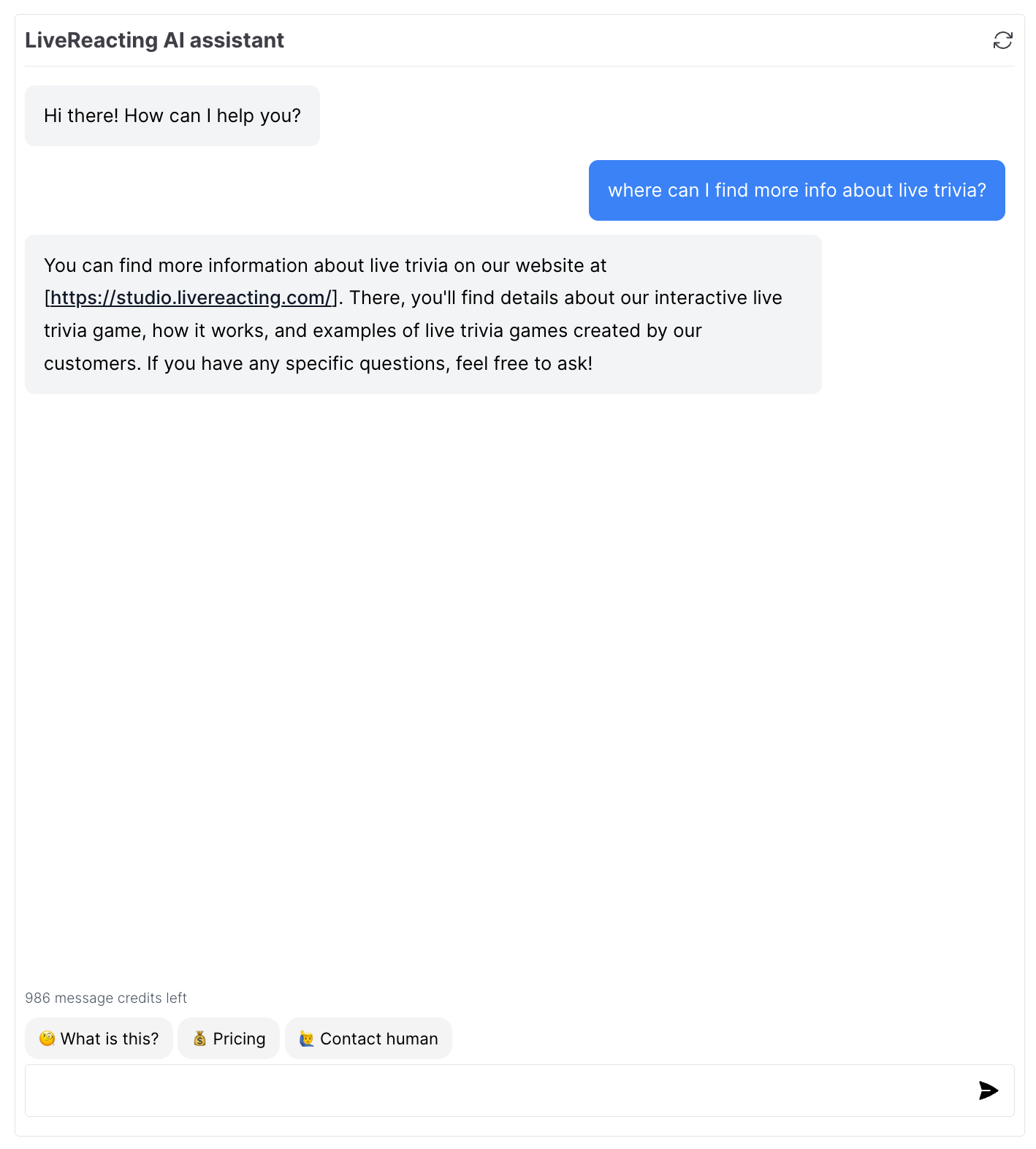
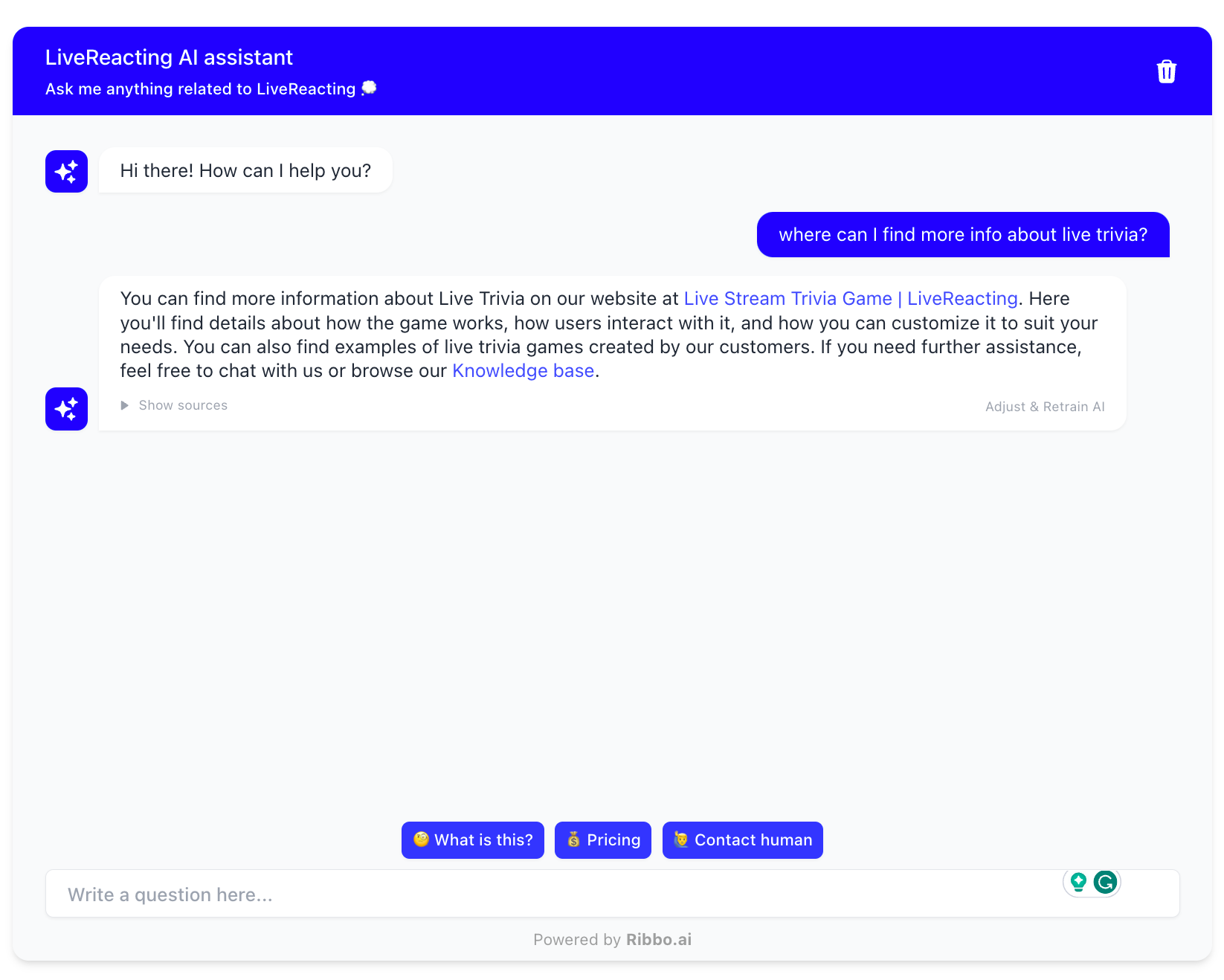
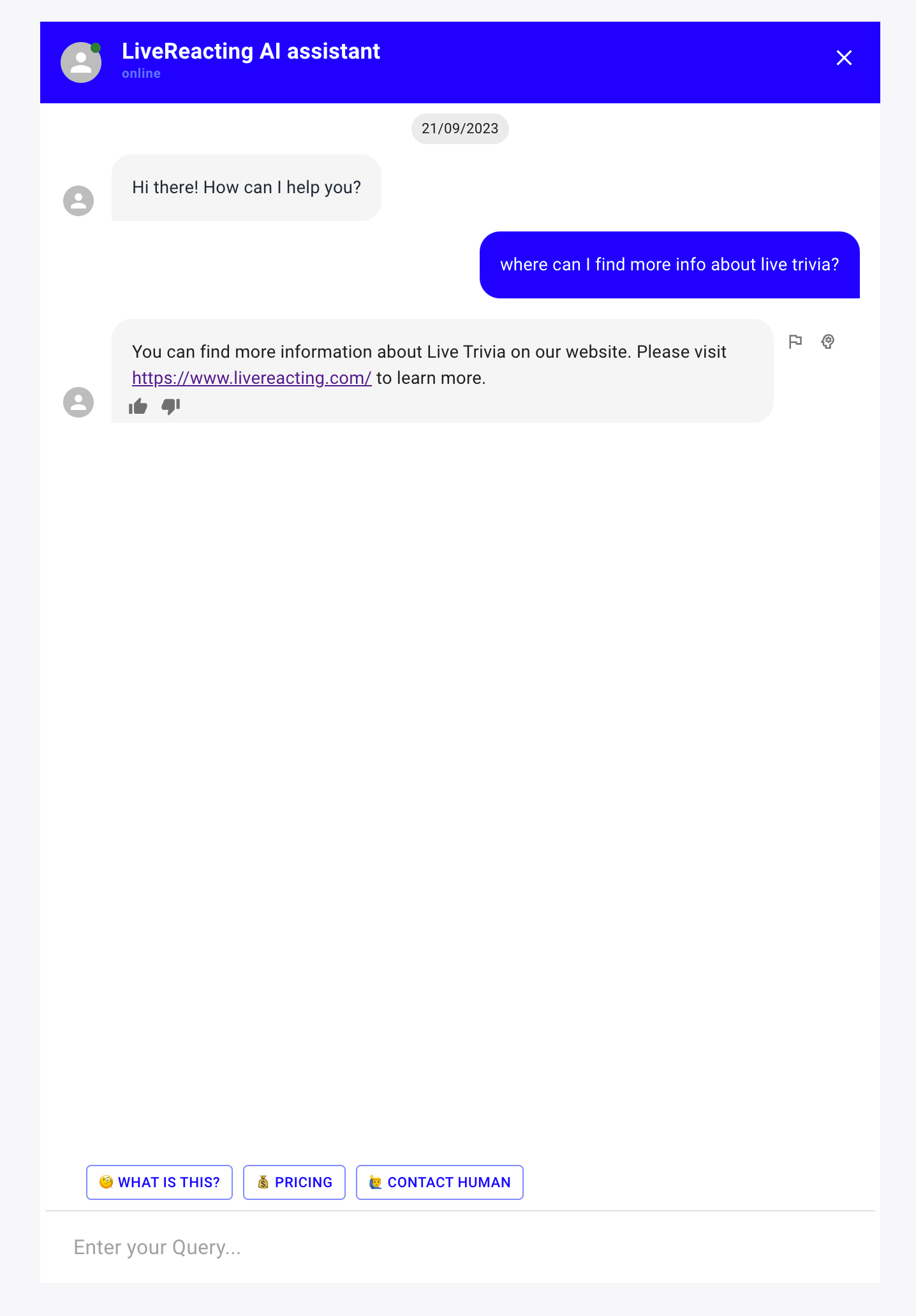
3. Where can I find more info about live trivia?
Chatbase:
Ribbo AI:
Orimon AI:
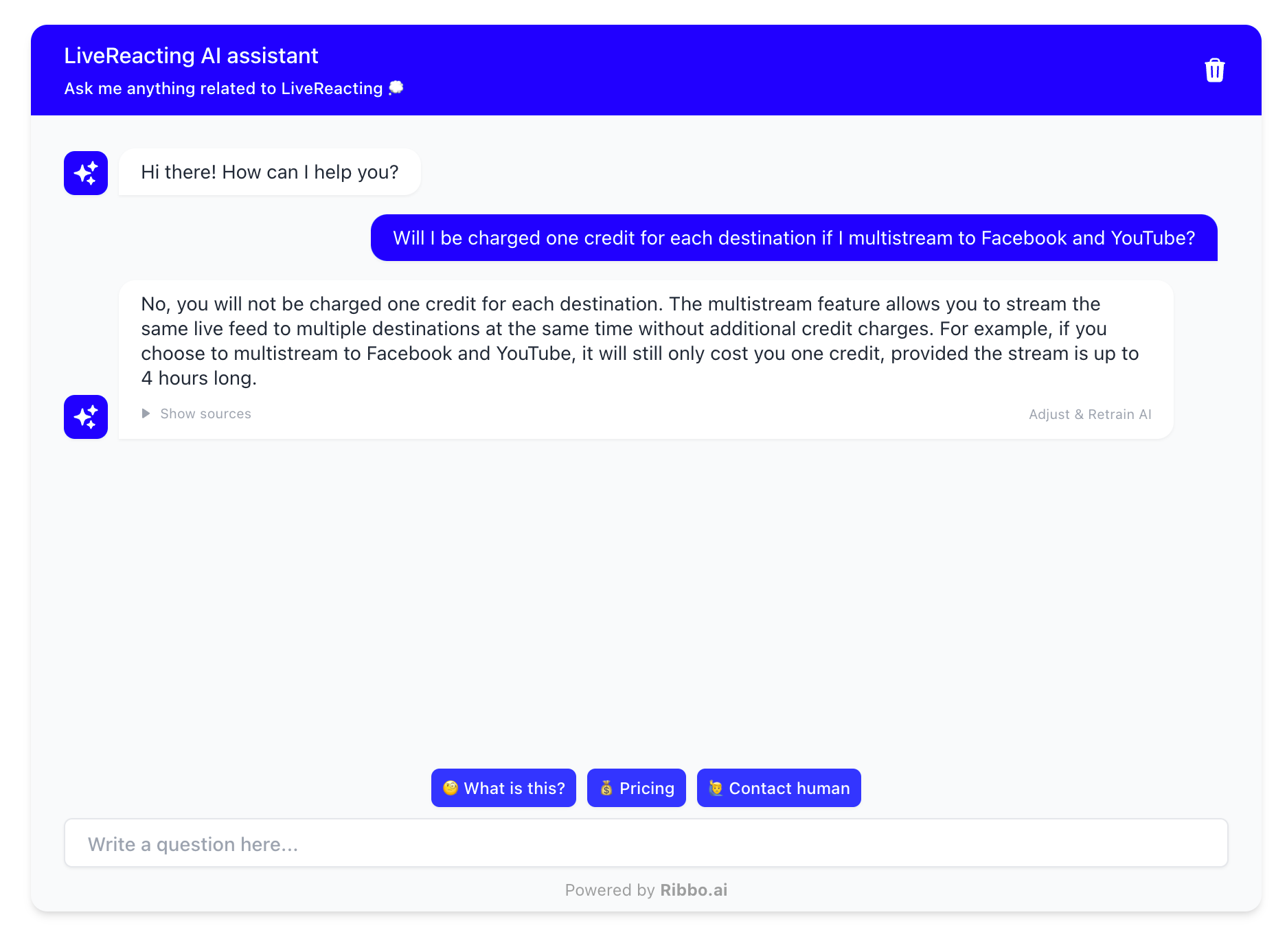
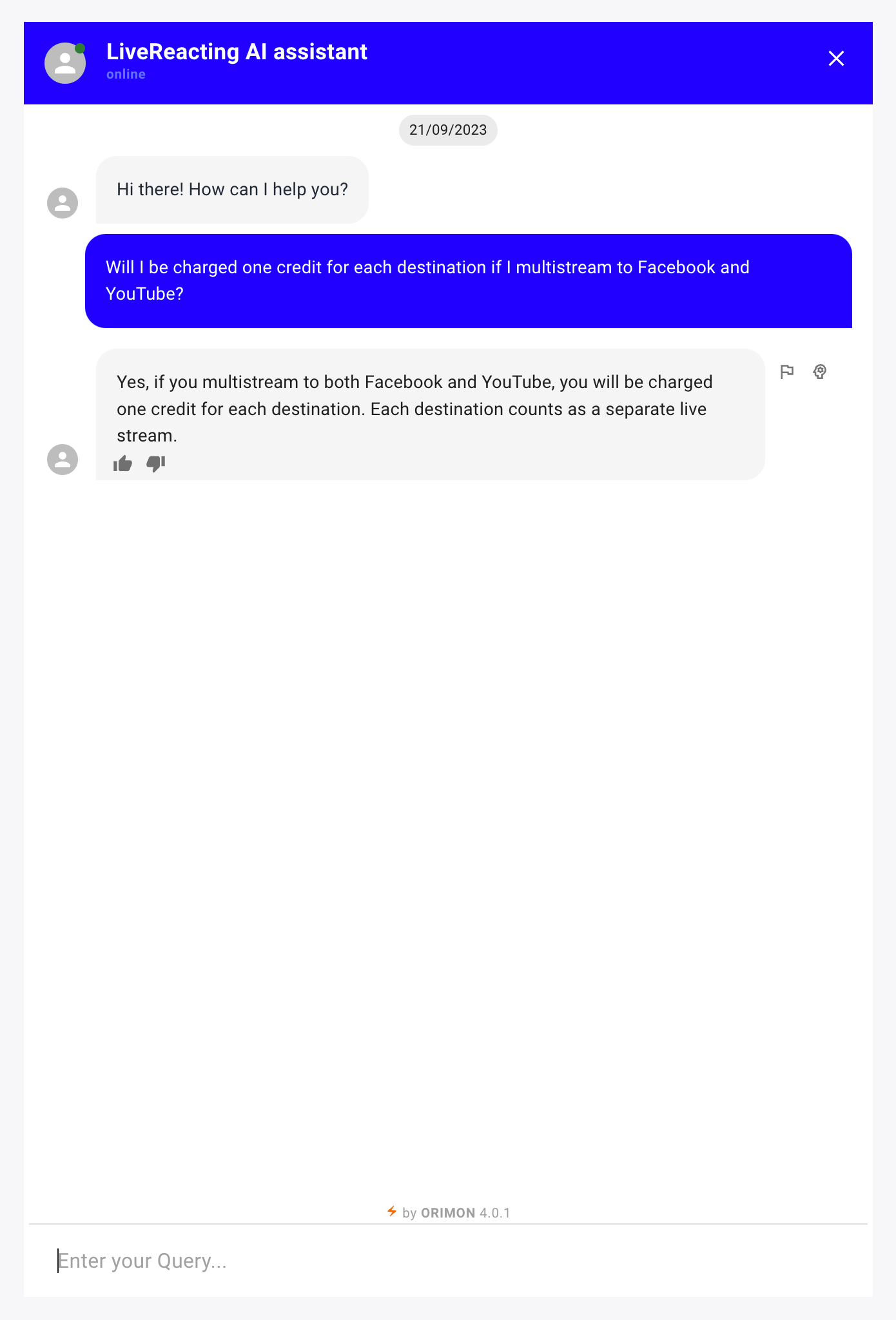
4. Will I be charged one credit for each destination if I multi-stream to Facebook and YouTube?
Chatbase: Does not recognize existence of a multi-stream feature and provides an inaccurate response
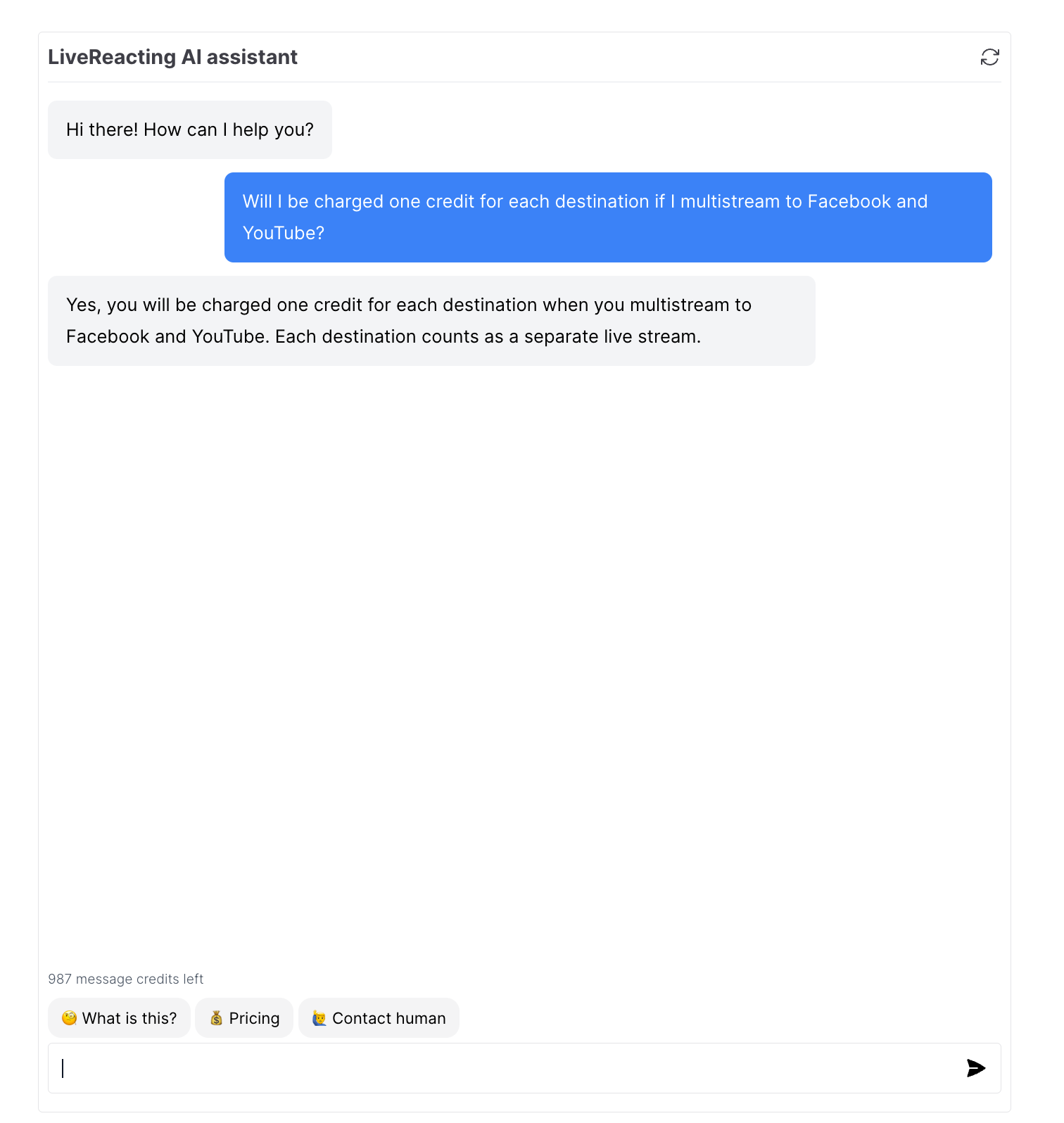
Ribbo AI: Identifies multi-streaming feature and provides a truthful response using that knowledge
Orimon AI: Does not recognize existence of a multi-stream feature and provides an inaccurate response
Conclusion
After conducting an in-depth comparison of the three AI chatbot applications - Chatbase, Ribbo AI, and Orimon AI, one thing became abundantly clear - the most crucial criterion for an AI chatbot is customer satisfaction rate; its ability to provide the correct answer to a user's question and close. In this regard, Ribbo AI stood head and shoulders above the rest.
This evaluation was grounded in a real-life scenario, using questions from actual users to test the capabilities of each application. Ribbo AI excelled in this test, consistently providing accurate and reliable responses. It did not hallucinate or generate data information from nothing, a significant advantage that ensures users receive accurate information based on the content available on the website.
Ribbo AI also shines in terms of its user interface, which is superior and offers more flexibility in configuration, contributing to a better user experience. An additional noteworthy feature of Ribbo AI is its handoff ability to pass a question that the AI cannot answer to a real human operator. This feature ensures that no query goes unanswered and adds a layer of reliability to the customer support process. Ribbo also provides lead scoring for each conversation that classifies high intent buyers for follow up by the sales team.
On the other hand, while Chatbase offers a wider range of data sources like Notion, its accuracy was not up to par. It often hallucinated, creating facts from nothing, which can potentially lead to misinformation being given to customers. Orimon AI, unfortunately, performed the worst in our comparison, failing to deliver the expected results.
Final Thoughts
In the realm of customer support, the importance of accuracy and reliability cannot be overstated. AI chatbots can be a powerful tool in providing instant, round-the-clock customer service, but their effectiveness hinges significantly on their ability to provide accurate and reliable information.
Our comparison underlined that while there are numerous AI chatbot applications available, they are not all created equal. Ribbo AI emerged as the clear winner due to its accuracy, user-friendly interface, flexibility in configuration, lead scoring and the unique feature of passing difficult queries to a human operator.
The goal is not merely to automate customer support but to enhance the customer experience by providing accurate, reliable information instantly. In this regard, Ribbo AI has proven to be an exemplary choice. It's a reminder that in choosing an AI chatbot application for your customer support needs, the ability to provide customer satisfaction should be the top priority.